 Refr · The PDF workspace
A PDF workspace
that leaves your
pages intact.
Refr is a local-first PDF workspace for macOS, written in Rust: GPUI — the framework behind Zed — draws the interface, and PDFium, the engine in Chromium, reads, renders and writes the PDFs. Open up to eight documents in tabs, highlight and comment, draw and stamp, reorder and combine pages, fill in and sign. When you export, the original pages are copied rather than redrawn, so text stays selectable and searchable. No account, no upload, no telemetry — Refr makes no network connections of its own.
Free and open source under the MIT licence. macOS 13 or later on Apple silicon, signed with a Developer ID and notarized by Apple, so it opens without warnings.
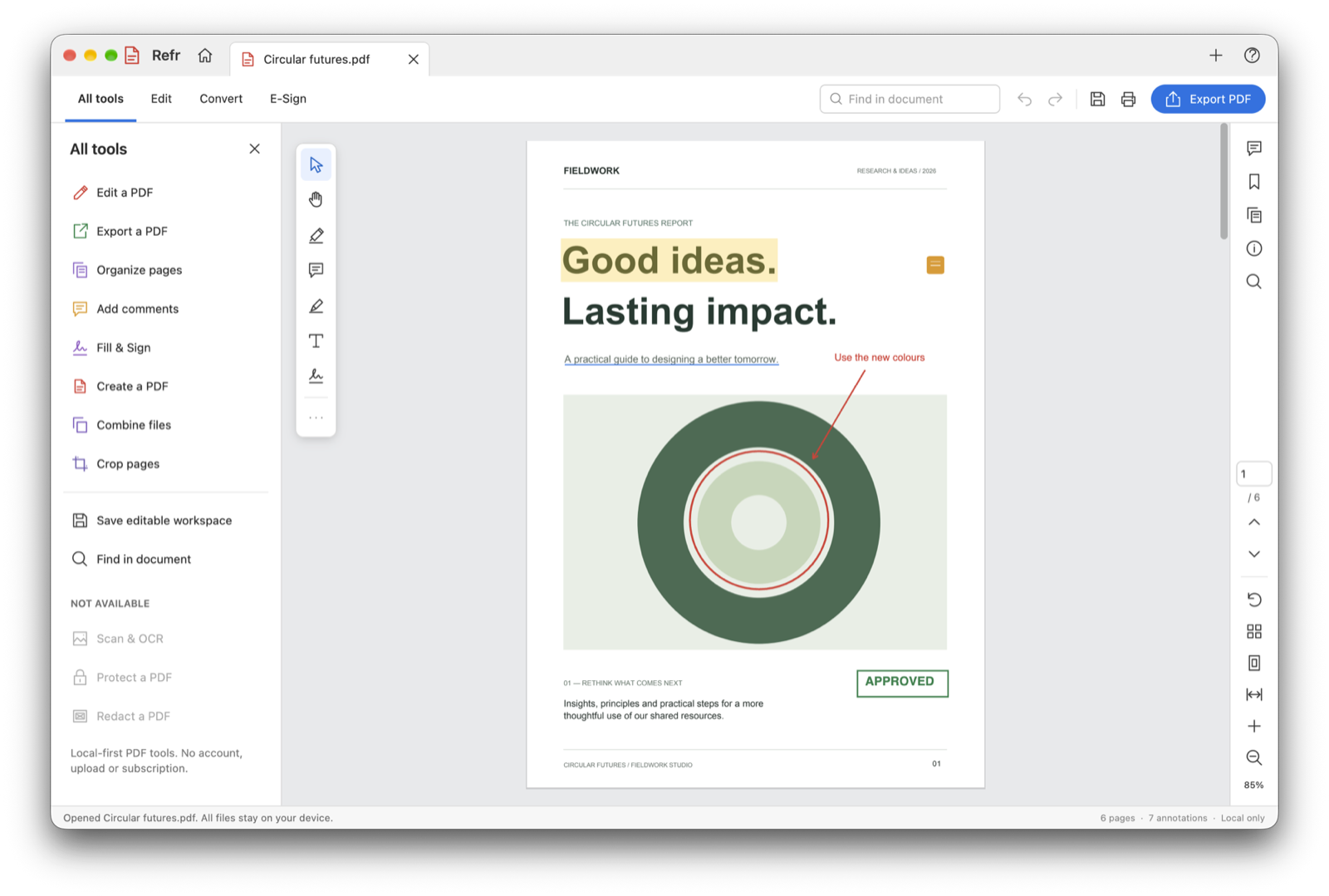
A highlight · an underline · a comment · a circled chart · a stamp
Download for macOS
One disk image. Open it and drag Refr to Applications. The build is signed with a Developer ID and notarized by Apple, so Gatekeeper lets it through without a warning. Refr does not check for updates itself: new versions are published here and on GitHub, with their checksums in the release notes.
Apple silicon, macOS 13 Ventura or later. That is what Refr is built for, so no Intel build is offered. Building it yourself is covered in the docs.
Read it, mark it up,
send it on.
Everything you do in Refr is a layer over the PDF, kept in a workspace until you export. The pages themselves are never edited: rotation, crop and reordering are recorded as page operations, marks and shapes as annotations, and a hundred steps of undo cover all of it.
Eight documents in tabs
Continuous, single-page and two-page layouts, fit to page or width, and ⌘-scroll that zooms around the pointer. Thumbnails, workspace bookmarks, full-text search, and text you can select and copy.
Highlight, underline, strike out
Mark text by the word, the way you would on paper, and leave comments with replies that can be resolved when the question is answered.
Draw, stamp and write on the page
Freehand ink, rectangles, ellipses, lines and arrows; stamps, check marks and inline text. Everything can be moved, resized, recoloured and deleted, with a hundred steps of undo per document.
Pages in the order you want
Drag thumbnails to reorder. Rotate, duplicate, delete and insert blank pages, combine PDFs, crop, extract a range of pages, or split a document into a ZIP of single-page PDFs.
Fill in and sign
Text, initials and drawn signatures, watermarks and page numbers. A drawn signature is a visual mark: it does not prove who signed or show whether the document changed afterwards, and the docs say so plainly.
Export what you need
A PDF, a PNG of the current page, plain text, or an editable .pdfspace workspace that keeps the original PDF with your annotations, comments, bookmarks and page operations still editable.
A recovery copy while it matters
Refr saves a recovery copy of the document you are working on by itself. Since 0.2.0 it exists only while there are unsaved changes, and is gone again once they are saved.
Opens PdfSpace workspaces
Refr is a port of PdfSpace, with the same workspace model, tools and layout, and it reads and writes PdfSpace's .pdfspace files, so a workspace made in one opens in the other.
Nothing leaves your Mac
No account, no upload, no telemetry and no update check. Refr makes no network connections of its own; the only time it reaches the internet is when you click a link in About Refr, which opens your browser.
What it does, it does properly.
What it doesn’t, it says.
Export copies the pages; it does not redraw them
PdfSpace exports a flattened, re-drawn PDF. Refr copies the original pages with PDFium, so text stays selectable and searchable. Rotation and crop become page properties, annotations become vector page content, and comments become standard PDF text annotations. A saved workspace keeps everything editable; an exported PDF burns the marks into the page.
Cropping is not redaction
A crop only hides content, and a shape over text only draws on top of it: the original is still in the PDF. A drawn signature is not a certificate-based digital signature. OCR, encryption, password-protected files, form filling and secure redaction are left out rather than done badly, and the All tools panel lists them, disabled, so nobody mistakes a visual effect for a security feature.
A port of PdfSpace, in the open
Refr ports PdfSpace from C#, Uno Platform and SkiaSharp to Rust, with the same workspace model, tools and layout. Its core — the workspace model, the .pdfspace format and undo — has no UI or platform dependencies, so another host can reuse it. The whole thing is MIT-licensed on GitHub.
Free and open source.
No account, no upload.
Refr costs nothing and asks for nothing: no licence key, no sign-in, no subscription. The source is on GitHub under the MIT licence, and every feature on this page is in the download.
- Sends
- Nothing. No telemetry and no update check; Refr only reaches the internet when you click a link in About Refr.
- Stores
- The files you save, a recovery copy while there are unsaved changes, and the paths of your last ten files.
- Shares
- Only what you hand over — and a .pdfspace workspace holds the complete original PDF, cropped-out parts included.
Mark up the PDF.
Keep the page.
Download Refr, open the PDF waiting for your review, and send it back with the text still text.