Your Terminal Knows Why the Command Failed. Why Doesn't It Help?
The terminal already had the command, the exit code, the output, the branch — you just re-typed all of it into a chat window. Conductor v0.7.7 is built on one idea: the tool that watched it happen should be the tool that helps. Three features, quietly.
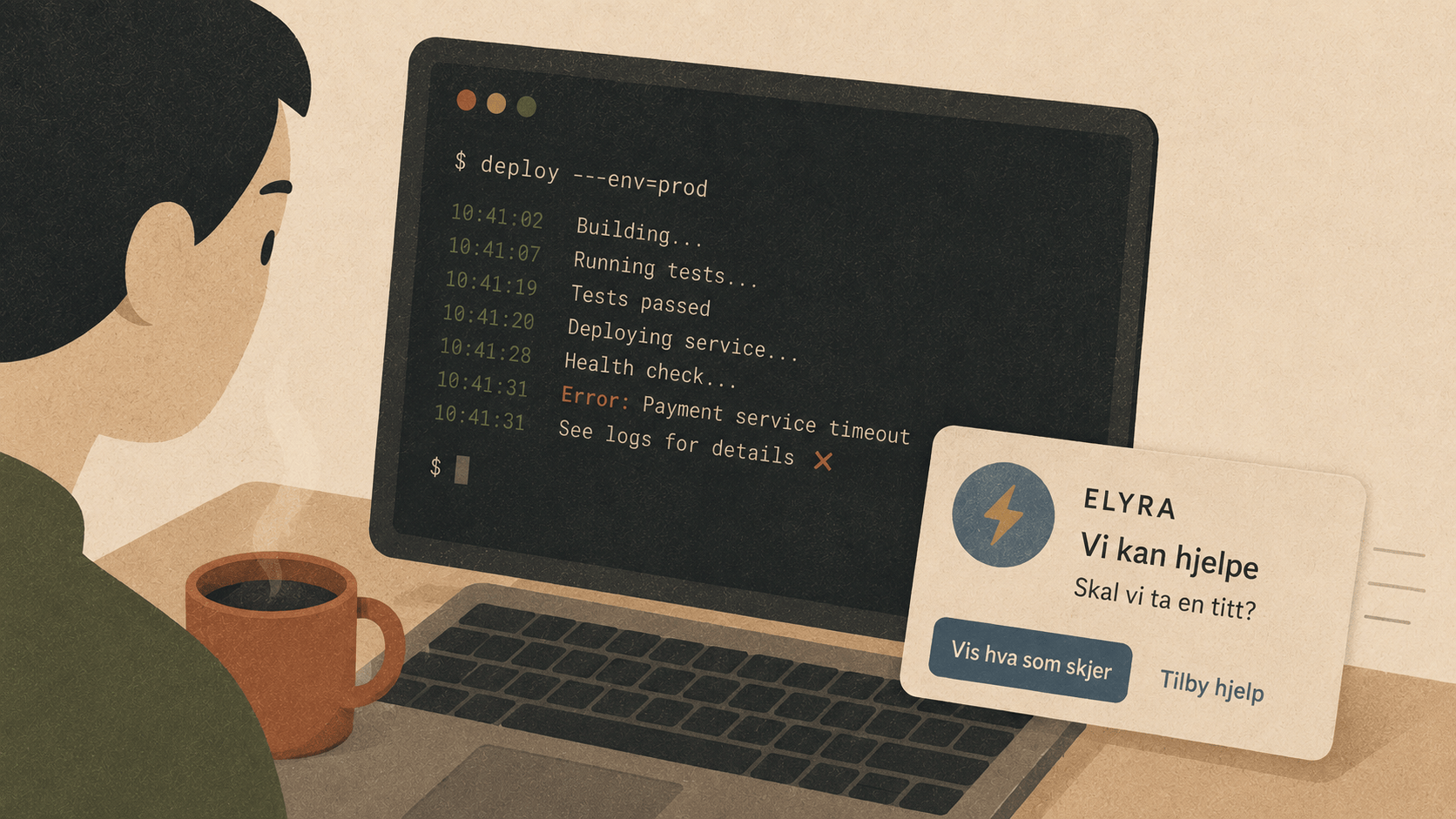
There's a moment every developer knows intimately. A command fails. You squint at the output. You copy the error, paste it into a chat window, add some context — "this happened when I ran X, on branch Y, after I changed Z" — and wait for an answer you suspect you half-knew already.
Here's the thing that started bugging us: the terminal already had all of that context. The command, the exit code, the output, the branch. You just spent ninety seconds re-typing what the machine already knew.
Elyra Conductor v0.7.7 is built around one idea: the tool that watched it happen should be the tool that helps. Three features came out of that idea. Here's the why and how of each.
⚡ Fix it: the ninety seconds we deleted
Conductor's terminals have shell integration — small OSC escape sequences the shell emits around every command. That means Conductor doesn't just see pixels in a terminal; it knows "pnpm run deploy exited 1 after 4 seconds, and here's the output."
So when a command fails now, a quiet toast slides up:
✗ pnpm run deploy exited 1 ⚡ Fix with Elyra ✕
One click hands an Elyra agent a context bundle — and crucially, a fix-oriented prompt:
This command just failed in elyra-conductor. Diagnose the root cause and
give me the exact command(s) to fix it — short and actionable.
pnpm run deploy

Exit code: 1 · ran 4s
Branch: main (uncommitted changes)
Output (tail): ERR_PNPM_NO_SCRIPT  Missing script: deploy
The agent answers with the actual fix ("the script is called release, run pnpm run release") instead of a lecture about package managers.
The design constraint that mattered most: it must never nag. Failed a command on purpose? The toast expires by itself in 18 seconds. Hit Ctrl+C? Ignored — interrupts aren't failures:
const FIX_IGNORED_EXITS = new Set([0, 130, 141, 143, 146, 147, 148]);
// ok, ctrl-c, sigpipe, sigterm, job control
And if your next command in the same pane succeeds, the offer quietly clears. The feature should feel like a colleague glancing over, not a paperclip popping up.
🌅 Morning brief: solving the "where was I?" tax
Every morning, every developer pays the same tax: five to fifteen minutes reconstructing yesterday's mental state. Which branch was I on? Did I push? Was something failing when I stopped?
Conductor now answers before you ask. Open it after a real break and a small card appears:
🌅 Welcome back · last active 14h ago
● elyra-conductor — main ± ↑2
🐳 1/2 containers running — some stopped while you were away
You were working on
pnpm check · cargo test run_step --lib · ./scripts/release-build.sh exit 1
[▶ Resume elyra-conductor]  [🤖 Plan my day with Elyra]
The mechanics are almost embarrassingly simple. On quit, Conductor saves a tiny "session pulse" — a timestamp, the active project, the last few commands:
localStorage.setItem("conductor:session", JSON.stringify({
at: Date.now(),
projectPath: activeTab?.projectPath,
commands: commandLog.slice(0, 4),
}));
On launch, it cross-references that pulse with fresh data it gathers anyway — git status, container health — and only speaks if there's something worth saying. The two design rules:
Only after a real break. A four-hour threshold means quick restarts never trigger it. A briefing you see twenty times a day is wallpaper.
Deterministic facts, optional AI. The card itself is plain data — no model call, no latency, no hallucinated branch names. The AI enters only when you click "Plan my day," which hands the same facts to an agent for an actual plan.
📖 Living runbooks: documentation with an expiry alarm
Conductor already had runbooks — markdown files with runnable bash steps — and even a recorder that turns a terminal session into one ("do it once, then share it"). But runbooks share a fate with all documentation: they rot silently. The deploy guide that worked in March references a script someone renamed in May. Nobody finds out until the worst possible moment.
So we gave runbooks a ✓ Verify button. It runs every step headless — real login shell, 60-second timeout per step — and annotates each one:
✓  pnpm install
✓  pnpm check
✗  ./scripts/deploy-staging.sh        exit 127   [⚡ Fix]
▸ output: zsh: no such file or directory
⊘  pnpm smoke-test                    skipped
The result persists in a sidecar JSON next to the markdown, so when anyone opens the runbook later they see a freshness banner:
⚠ Verified 3d ago — 1 of 4 steps failing
That's the whole pitch: documentation that tells you when it stopped being true. And because failures carry their output, the ⚡ Fix button hands the broken step straight to Elyra — often the answer is just "the script moved to scripts/deploy/staging.sh, update the runbook."
Two practical details we learned the hard way:
Dev servers never exit. A step like pnpm dev would "fail" every verification by timing out. The escape hatch is an annotation in the fence itself:
```bash no-verify
pnpm dev
</code></pre><p>Still runnable with ▶ Run; just excluded from verification.</p><p><strong>Killing a timed-out process is fiddly.</strong> The Rust side polls <code>try_wait()</code> while reader threads drain stdout/stderr (so a chatty child never blocks on a full pipe), and kills the child when the clock runs out. This became the project's first unit-tested code — the timeout test literally asserts that <code>sleep 30</code> dies in about one second:</p><pre><code class="language-rust">#[test]
fn run_step_times_out_and_kills() {
let t = std::time::Instant::now();
let r = run_step("/tmp".into(), "sleep 30".into(), Some(1));
assert!(r.timed_out);
assert!(t.elapsed() < std::time::Duration::from_secs(10));
}
</code></pre><h2>The thread connecting all three</h2><p>None of these features required new infrastructure. The shell integration, the command timeline, the git polling, the agent bridge — all of it already existed. What v0.7.7 adds is attention: the app now notices the moments where it can help, and offers — quietly, once, with full context.</p><p>That's our theory of AI in developer tools, condensed: don't build a chatbot next to the work. Watch the work, and show up at the right moment with the context already in hand. The AI never acts on its own; Conductor bundles facts, you decide, Elyra reasons. The boring architecture — pure transport, no keys, no model calls in the app — turns out to be the trustworthy one.</p><p>The ninety seconds you used to spend re-typing what your terminal already knew? Spend them on the fix instead.</p><p>Elyra Conductor v0.7.7 is out now — existing installs will offer the update automatically (release notes included, naturally).</p>