Meet the Herd Strip: Every Agent, One Glance, Zero Modals
Running four coding agents at once is free. Knowing what they're all doing is not. Elyra Conductor v0.8.8 adds a herd strip next to the tab bar — blocked, working, done, sorted by urgency, one click away.
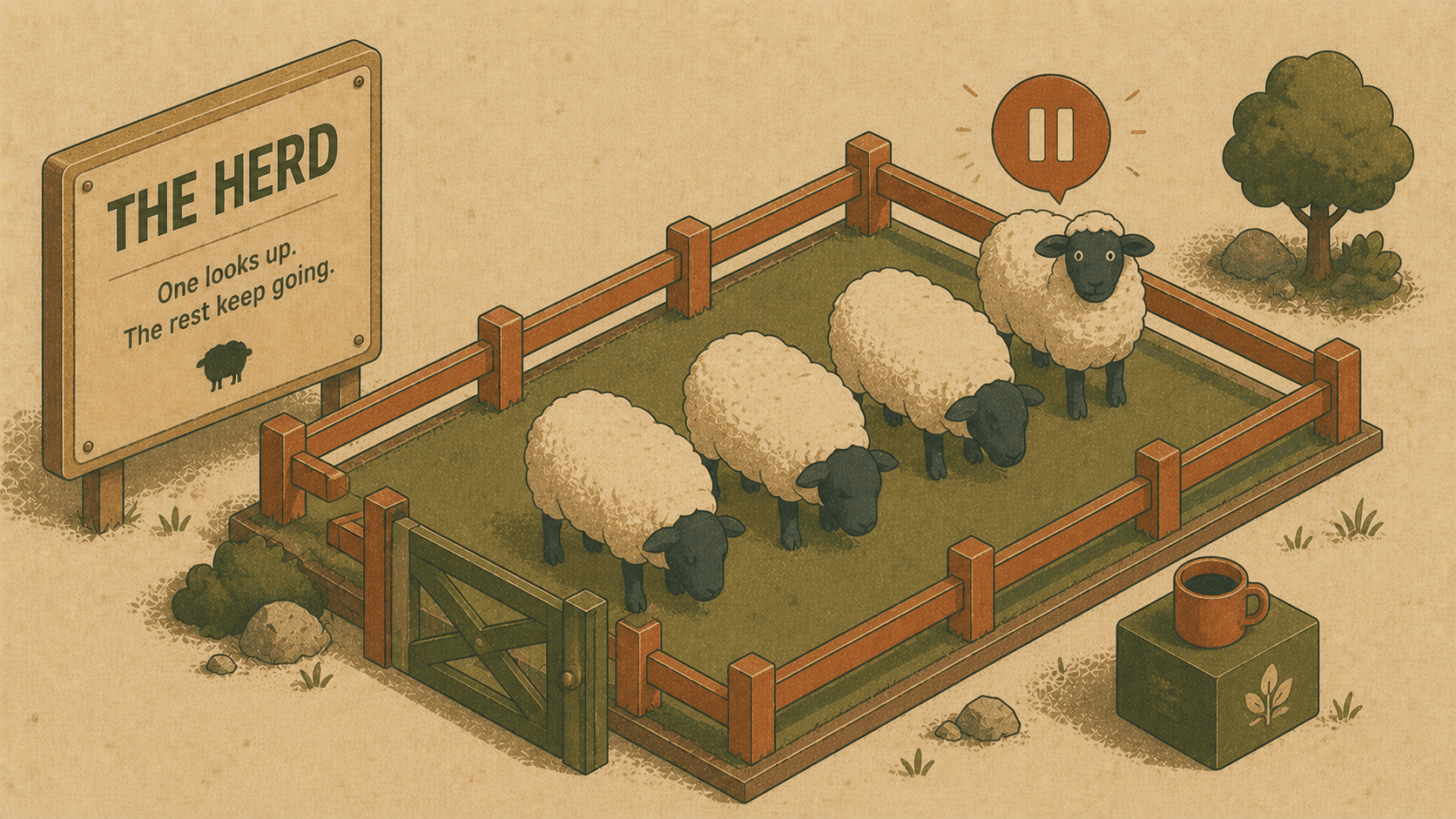
Elyra Conductor v0.8.8
There's a particular kind of tired that comes from running four coding agents at once. Not physically tired — you're just sitting there — but attention-tired. Every few minutes you alt-tab through six terminal tabs going "is this one done? is this one stuck? did that one need something from me twenty minutes ago and I just... didn't notice?"
That's the tax nobody talks about when people say "just run more agents in parallel." Parallelism is free. Knowing what's happening is not.
So this release is about paying down that tax.
Why
A few days ago I was reading through herdr — a terminal-based agent multiplexer with a genuinely great pitch:
"every agent at a glance — blocked, working, done. real terminal views, not a wrapped interpretation."
That line stuck with me. Not the tmux-in-your-terminal part — Conductor already has its own take on that (worktrees, split panes, the agent command center) — but the vocabulary. "Blocked, working, done." Three words, no ambiguity, no color-only signaling that fails you the moment you're colorblind or just not looking closely enough.
We had a decision to make: do we make Elyra a first-class citizen inside tools like herdr, or do we build that "herd view" natively into Conductor, since — as I put it at the time — "Conductor is already 80% there"? We'd already shipped an Agent Dashboard with presence tracking, worktree awareness, and an auto-merge queue. The missing piece wasn't a new subsystem. It was just... making the existing signal impossible to miss, without making it a whole extra window you have to remember to open.
We went with option (b).
How
Step 1 — pick a vocabulary and stick to it everywhere
Before touching any UI, we renamed the meaning of our existing states (not the wire format — that stays internal) into one consistent set used everywhere: on the tab dot, in the Agent Dashboard, and now in the new strip.
// Herdr-style semantic vocabulary — shared by every surface in the app.
const PRESENCE_LABEL = {
  working: "Working",
  waiting: "Blocked — needs your input",
  idle:    "Idle",
  exited:  "Done",
};
const HERD_GLYPH = { working: "▶", waiting: "⏸", idle: "○", exited: "✓" };
That's the whole trick, really. "Waiting" is blocked. "Exited" is done. Once you say it in those words, the UI almost designs itself — you want blocked agents to be the loudest thing on screen, because a blocked agent is wasted wall-clock time.
Step 2 — sort by urgency, not by tab order
const HERD_ORDER = { waiting: 0, working: 1, idle: 2, exited: 3 };
let herdChips = $derived.by(() => {
const chips = tabs
.filter((t) => t.kind === "agent")
.map((t) => ({ tab: t, state: agentPresence[t.id] ?? "idle" }));
chips.sort((a, b) => (HERD_ORDER[a.state] ?? 9) - (HERD_ORDER[b.state] ?? 9));
return chips;
});
Nothing fancy — just: whichever agent is costing you time floats to the front of the strip. You don't scan for it. It's just... first.
Step 3 — put it where your eyes already are
This is the part I think actually matters. We didn't add a sidebar widget or a menu bar icon you have to remember exists. We put a chip directly next to the tab strip — the thing you're looking at anyway, every time you switch context:
<div class="herd-strip">
{#each herdChips.slice(0, HERD_MAX_CHIPS) as h (h.tab.id)}
<button
class="herd-chip {h.state}"
onclick={() => focusTab(h.tab)}
title={${h.tab.title || "elyra"} — ${PRESENCE_LABEL[h.state]}}
>
<span class="herd-glyph">{HERD_GLYPH[h.state]}</span>{h.tab.title || "elyra"}
</button>
{/each}
{#if herdChips.length > HERD_MAX_CHIPS}
<button class="herd-chip more" onclick={() => (agentDashboardOpen = true)}>
+{herdChips.length - HERD_MAX_CHIPS}
</button>
{/if}
</div>
In practice it looks like this — a row of little pills, sitting quietly until something needs you:
⏸ elyra-web ▶ feature/login ✓ elyra ○ elyra-conductor +2
Click ⏸ elyra-web and you're there. No dashboard, no modal, no "let me find which tab that was." If you're running more than six at once (respect, honestly), the overflow collapses into a +N that opens the full Agent Dashboard — the deeper view with status lines, last-activity timestamps, and the auto-merge queue for anything whose PR just went green.
Step 4 — make the dashboard agree with the strip
The last thing we wanted was two systems that almost say the same thing. So the Agent Dashboard rows got the same glyphs, the same labels, the same sort order:
const PRESENCE_GLYPH = { working: "▶", waiting: "⏸", idle: "○", exited: "✓" };
Consistency is a feature. If ⏸ means "blocked" on the strip, it better mean "blocked" everywhere else too.
Try it
Open a couple of worktrees, drop an Elyra agent into each one (🌳 Worktrees → 🤖 Agent), and go do something else in another tab for a minute. When one of them needs you, you don't have to go hunting — the strip tells you before you even switch tabs.
git worktree add ../myapp.worktrees/feature-x -b feature-x
open an agent there from the Worktrees panel
That's the whole feature, honestly. Small, quiet, and exactly the kind of thing that only proves its worth on the fifth agent you spin up, not the first.
What's next
The herd strip is the "at a glance" layer. The Agent Dashboard is the "tell me more" layer. Between the two, the loop we set out to build a few releases ago — spin up a worktree → drop in an agent → watch it work → merge when it's green — finally has a face you can glance at from across the room.
Full changelog for v0.8.8 is here. As always: Conductor conducts, it doesn't reason — every glyph in this post is just us rendering a state Elyra already told us about.