Your sidebar now knows what's running
Elyra Conductor 0.4.8 gives each project a small green port badge in the sidebar — detected from each process's working directory, so it works with any stack and needs zero setup.
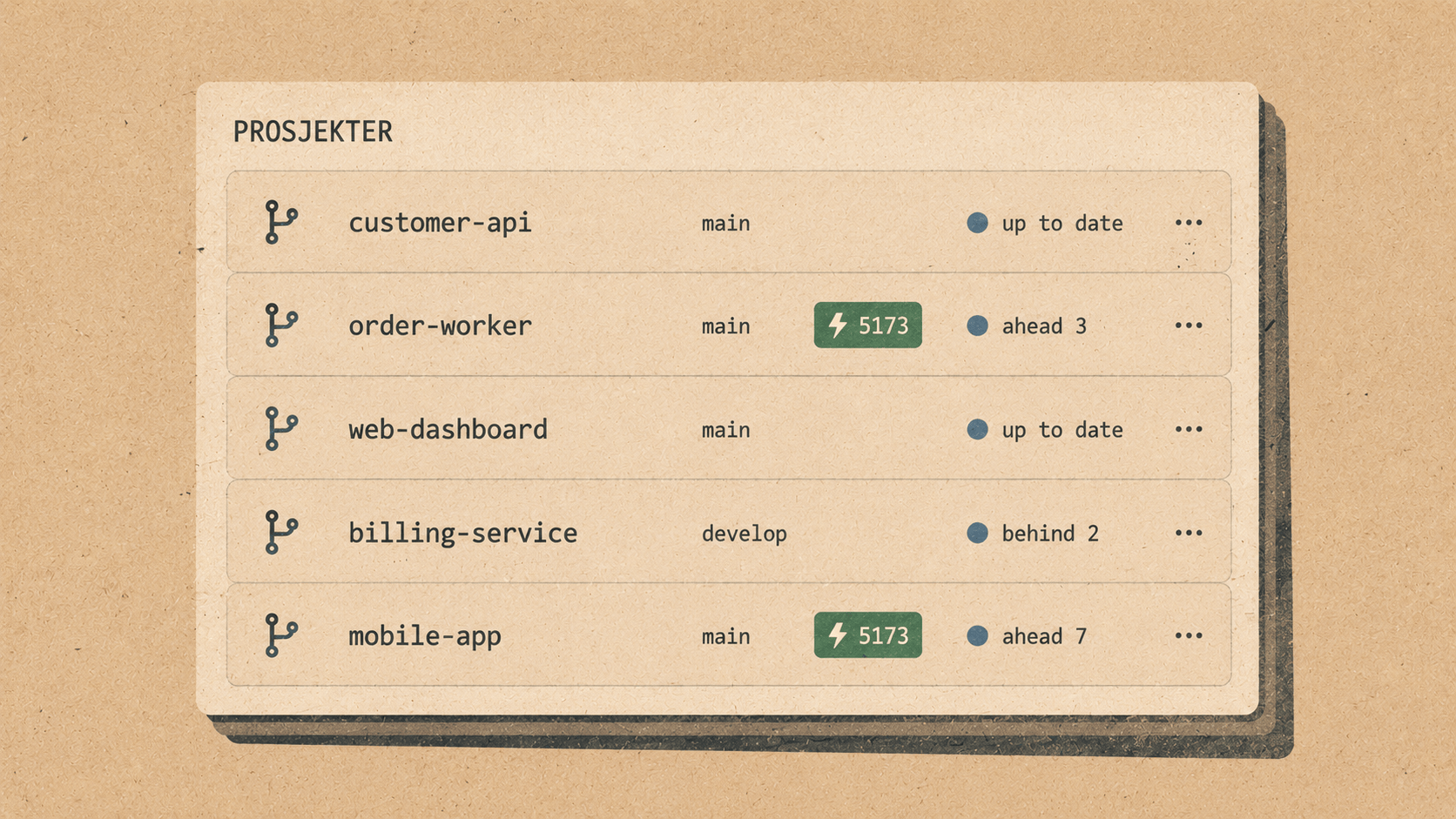
A cozy look at Elyra Conductor 0.4.8 — projects show a little green port badge when they've got a server up. Why that tiny dot matters, and the small trick that makes it work without any setup.
You've got a dozen projects in the sidebar. Three of them have a dev server running right now. Which three? And on what ports?
If you're like most of us, the honest answer is "I'm not totally sure." You started pnpm dev in one an hour ago, php artisan serve in another, and a Vite watcher in a third — and they've all scrolled off into their tabs. So when you want to actually look at one in the browser, you go fishing: which tab, which port, was it :3000 or :3001 because something already had :3000…
The information exists. Your machine knows precisely which processes are listening on which ports. It just never told the part of your screen where you'd most want to see it — the project list.
0.4.8 fixes that. Now each project that has a server running shows a small green badge, right there in the sidebar:
  PINNED
    inside-works     ⎇ master  ●          ⚡8000
    elyra-web        ⎇ main                ⚡5173
    inside-finance   ⎇ master
    feed3            ⎇ main
elyra-web is serving on :5173. inside-works is on :8000. The other two aren't running anything. You know all of that before clicking a single thing — and clicking the badge opens http://localhost:5173 in your browser straight away.
The small trick: how a port finds its project
The interesting part was attributing a port to a project. A listening port doesn't announce "I belong to elyra-web." It just knows its process. So how do you connect :5173 to a folder in the sidebar?
The answer turned out to be lovely and simple: a process's working directory. When you run pnpm dev inside ~/Code/elyra-web, that dev server's cwd is ~/Code/elyra-web (or a subfolder of it). So Conductor asks lsof two questions — "what's listening?" and "where is each of those processes running from?" — and then matches each port's directory against your project paths:
  :5173  → cwd /Users/kh/Code/elyra-web         → elyra-web    ✓
  :8000  → cwd /Users/kh/Code/inside-works/api   → inside-works ✓
  :6379  → cwd /opt/homebrew/...                 → (no project) — skip
The beauty of using the working directory is that it needs zero configuration and is completely stack-agnostic. Vite, artisan serve, next dev, a Rust binary, a Python server — Conductor doesn't care what started the port. It just notices the process is running from inside one of your projects, and lights up the badge. (Your Redis and Postgres, running from somewhere else, politely don't show up under your projects.)
It refreshes every few seconds, so a badge appears shortly after you start a server and quietly disappears when you stop it.
Why a dot in the sidebar is worth the trouble
This is the kind of feature that sounds almost too small to mention — it's a green label. But think about what it replaces:
"Is this project's server still up?" → glance, instead of switching tabs to check.
"What port did it bump to?" → it's written right there.
"Let me open it in the browser" → one click on the badge, no typing
localhost:.
And it pairs with what the sidebar already showed. Git status told you what has uncommitted changes. Now the port badge tells you what's alive. Together, the project list became a genuine health view — open the app and, before doing anything, you can see at a glance which projects have work in flight and which ones are actively serving.
  inside-works     ⎇ master  ●          ⚡8000     ← dirty, and serving on :8000
  elyra-web        ⎇ main                ⚡5173     ← clean, serving on :5173
  inside-finance   ⎇ master                        ← clean, nothing running
That's three facts per project, absorbed in a single glance, no clicks.
A one-minute tour
Open a project and start its dev server (
pnpm dev,php artisan serve, whatever it is).Within a few seconds, watch a green
⚡5173badge appear next to that project in the sidebar.Click it — your browser opens straight to
http://localhost:5173.Stop the server; the badge fades away on the next refresh.
The throughline
Conductor keeps circling the same quiet idea: the machine already knows things, and a good cockpit's job is to surface them where you'd naturally look. The ports were always listening. The working directories always pointed home. All 0.4.8 does is connect those two facts and paint a small green dot in the one place your eyes already go — the project list.
No config, no per-project setup, no remembering port numbers. Just open the app and see what's running. The sidebar grew a little more aware, so you can carry a little less in your head. 🪵🔥
Elyra Conductor 0.4.8 adds per-project "running server" badges to the sidebar — detected from each process's working directory, so it works with any stack and needs no setup. Signed and Apple-notarized. Conductor surfaces what's running and what's changed; it never reasons.