eTerm: the terminal that knows where each command ends
A terminal that tells one command from another — so a session becomes foldable, diffable, reviewable blocks instead of one long scrollback. Local AI on a per-command leash, pull request review without the browser, no account and no telemetry.
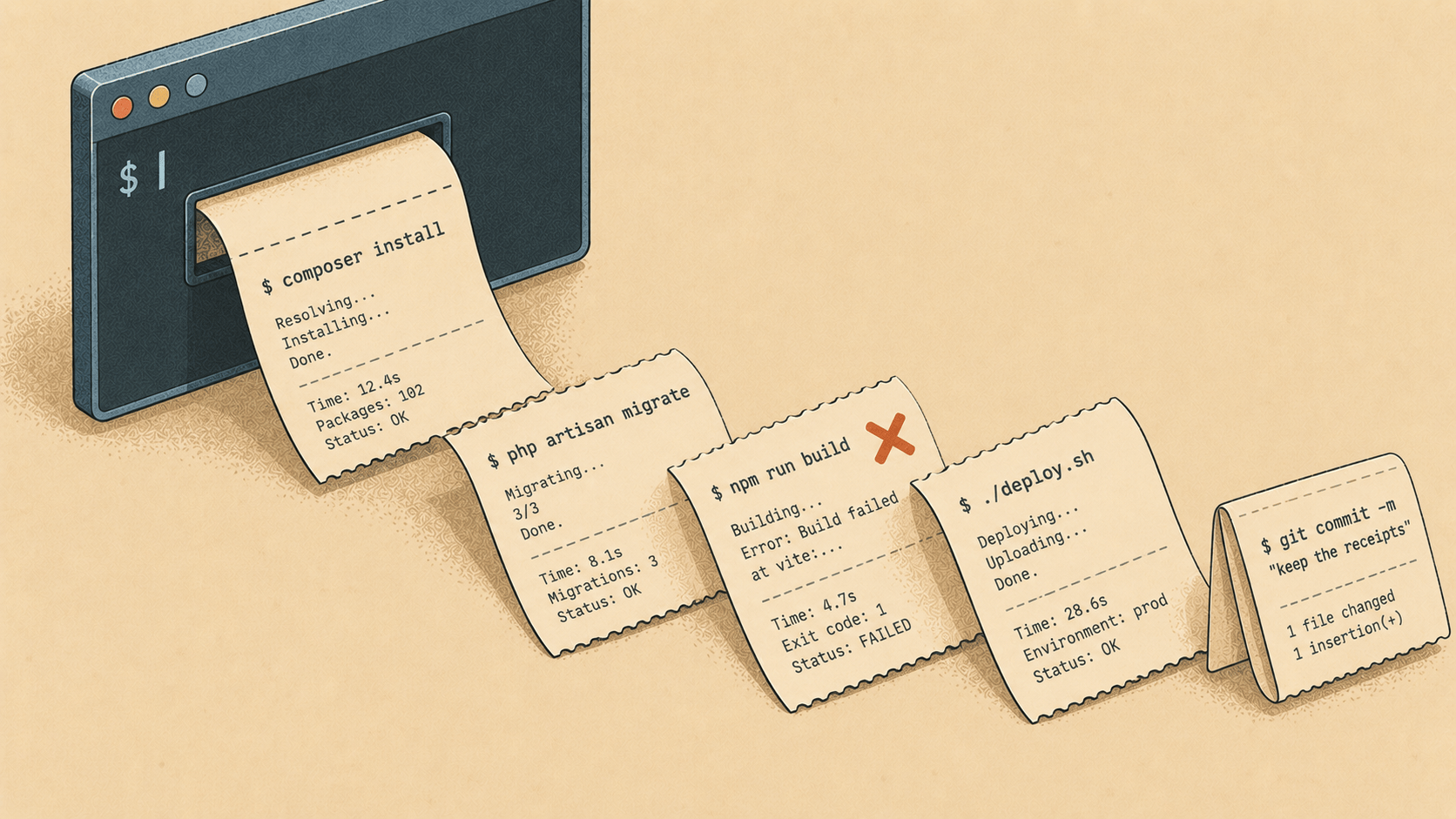
Every terminal you have ever used gives you the same thing: a scrollback. A long roll of paper, everything you typed and everything the machine said back, in one undifferentiated stream. When something goes wrong three screens up, you scroll. When you want to show a colleague what happened, you screenshot a third of it. When you want to know whether this run differs from the last one, you squint.
We built eTerm because that roll of paper stopped being good enough the day our shells filled up with test suites, deploy scripts, and coding agents that talk back. Here is what it is, what makes it different, and — because we'd rather you knew — where it stands next to the terminals you already trust.
The one idea
eTerm knows which command produced which output. That sounds like a small thing. It is the whole thing.
Once the terminal can tell one command from another, a session stops being a stream and becomes a list of blocks. You can fold a noisy run to a single line. You can jump between prompts. You can hand one block to the pane next door. You can diff two runs of the same command and see exactly what changed between them. You can copy the whole session as a runbook someone else can follow. And a thin strip down the edge shows you, at a glance, where the failures are — so a red run three screens up is one look away, not a scroll.
For zsh, this costs you nothing to set up. eTerm starts every session with a ZDOTDIR of its own — four small files that source your .zshenv, .zprofile, .zshrc and .zlogin and then hand ZDOTDIR back — so your configuration runs exactly as it always has, and nothing is written into your home directory. Most terminals ask you to paste something into your rc file. This one doesn't.
A model on a leash
eTerm has an AI mode. So does everyone's terminal now. The difference is the leash.
Press ⌘↵, ask a question over the session you're looking at — why is the deploy hanging on the migration step? — and a model answers with a command. Then it waits. You read it. You press return, it runs, and what it printed becomes the next question. ⌘E asks why the last command failed.
Nothing runs that you did not approve, and approval is per command. Not per session, not per task, not once at setup. There is no mode that turns that off, because the value of an approval is exactly the attention it takes, and a setting that skips it would remove the point. A command that looks destructive goes one step further: return does nothing at all, and a different chord is required. A terminal often points at a machine reached over ssh, and the gap between proposing and running is where a person belongs. What that gap must not become is a habit.
The model is yours, too. You paste your own Anthropic or OpenAI key; there is no eTerm account and no proxy in the middle. The key goes into your login keychain — never into a plain-text config file, which is the first thing anyone attaches when asking for help. And before any output reaches a model, the value of every SOMETHING_SECRET= line on screen is replaced with [redacted]. Tokens and keys are drawn as a bar until your pointer is over them, so a screenshot or a glance over your shoulder gets nothing.
The pull request, without the browser
Reading a pull request has always meant leaving the terminal. gh pr diff gives you somewhere to read one, but nowhere to say anything about it.
⌘R opens a window on the repository your session is standing in. Read the diff with the code coloured as code. Comment on a line. Reply in a thread. Read the description and the conversation under it. Send the review with a verdict. No gh, no browser tab. The GitHub token lives in the keychain, like the model key, and for the same reason.
Small things that turn out to be large
A tab that wants you. When a long command finishes, or an agent rings the bell because it needs an answer, the tab says so and the Dock bounces if you're elsewhere. A build that finished four minutes ago should not be found by coming back to check.
The command line, coloured as you type. Green when the first word is a command that exists — and silence when eTerm isn't sure. A colour that is sometimes wrong teaches you to ignore it, so it's only shown when it's known.
Suggestions and completions, kept apart. A suggestion is the rest of a command you've run before, in grey: what did I type last time? A completion is a list of ways to finish the word under your cursor: what are my options? Two different questions, two different things.
A palette that knows your project.
npm run dev,composer test,make deploy— read from the manifest in the directory you're standing in.
Where it stands
Let's be fair to the neighbours, because you probably use one of them.
iTerm2 is the terminal most Mac developers grew up in, and it does nearly everything — but it does not know where your commands end, and its AI features arrived late and sit off to the side. Ghostty, Kitty, Alacritty and WezTerm are superb emulators: fast, honest, beautifully minimal. They are also just emulators by conviction, and proudly so — no blocks, no model, no review window. If you want a pane of glass and nothing else, they are hard to beat and you don't need us.
Warp is the closest relative. It also has blocks, and it also has AI. The differences are the ones that decide whether you can bring it to work: Warp wants an account, its AI runs through its own cloud, and it phones home. eTerm has no account, no proxy, and no telemetry. Your model key talks to your provider. Your licence is checked on your own machine. Nothing about you leaves it unless you ask a question — and then only the question, the exit code, and up to forty lines of output, with the secrets already gone.
We'd also like to be honest about where eTerm stands behind. It is young. It is macOS on Apple Silicon only — an Intel build would need a second toolchain and a machine to test it on, and shipping one nobody has run is worse than shipping none. It is written from scratch in Rust on gpui, the framework behind Zed, which is fast and moves fast; three of its APIs changed under this project in a single day, so the core deliberately has no framework in it and every line of gpui lives in one directory where that cost can be paid once. The numbers we quote were measured — a frame costs 0.15 ms of grid work against an 8.3 ms budget — and where something hasn't been measured, like a CJK input method, the docs say so instead of guessing.
What it costs
Nothing, to download and to use. Every feature works, and always will.
Now and then — not in your first twenty minutes, and not more than once every three days — a strip appears under the session to say that eTerm is free, that a licence exists, and where. A licence is $49, once, forever, and it turns that strip off. That is the whole of what it does. Nothing is held back from anyone who doesn't buy one; it is a thank-you for the work, priced like one.
The licence is a line of text signed with a key only we hold, checked by eTerm against the public half compiled into the app. No activation server, no seat count, no account to go away. It works on a machine that has never been online, and it goes into your keychain, not a config file.
Try it
Download eTerm at elyracode.com/eterm, open it, and run something noisy — a test suite, a deploy. Fold it. Diff it against the next run. Ask it why it failed. If the shell keeping the receipts feels like the way it should always have worked, you'll know within an hour — and if it doesn't, it cost you nothing to find out.
Open a shell. Keep the receipts.