Elyra Desktop 0.2.0: three things a terminal cannot do well
0.2.0 adds a searchable archive over every session you ever had, git worktrees so several agents can share one repository, and a tree-sitter symbols index so the agent reads ranges instead of whole files.
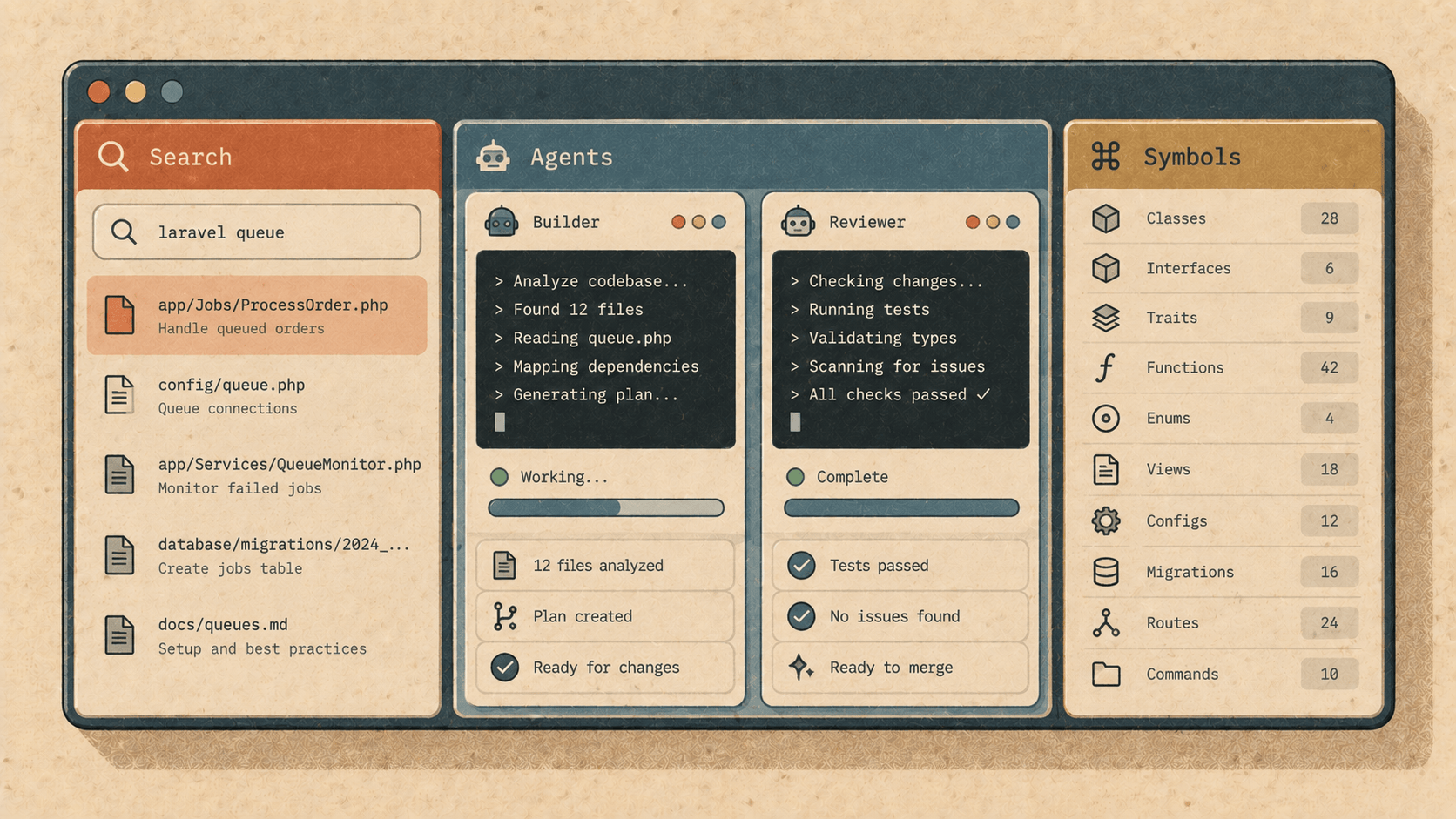
When we shipped Elyra Desktop last week, the pitch was deliberately modest: the same agent, in a window. Same loop, same tools, same ~/.elyra/agent/. Nothing you could do in the window that you couldn't do in the terminal — it was a matter of where you preferred to sit.
0.2.0 is the release where that stops being entirely true. Not because the terminal got worse, but because a window can hold things a scrollback can't: an index you search, several live sessions side by side, a lookup table for your code. Three features, each of them a panel rather than a stream. Here's what they are, why they're built the way they are, and what they look like in practice.
1. Search every session you ever had
Elyra keeps every session as a JSONL file. That's a good format — append-only, diffable, readable with jq at three in the morning — and a terrible one to search. "What did we decide about the retry policy, and in which project?" has meant grep -r through a directory of JSONL and reading the hits by eye.
/archive opens a panel over all of them:
/archive retry policy
  ▸ elyra-web        2026-08-14  "…so the retry stays at three attempts with jitter, and the
                                  fourth is a failure, not a fifth attempt…"           $0.31
  ▸ askr             2026-09-02  "…backoff is the client's job; the server answers 503
                                  once and means it…"                                  $0.08
  ▸ elyra-web        2026-09-05  "…Http::fake appends — one closure, not two fakes…"   $0.12
Full text, across every project or just this one, filtered by role if you only want what you said or what the agent said. Two more views fall out of the same index:
The history of one file. Click a path — or type /archive file settings.rs — and you get every session that ever touched it, oldest first. This is the question you actually have when a file surprises you: not what does this do but why is it like this, and who agreed to it.
Cost, sliced. By day, by model, by session, by project. The footer has always shown what the current session cost to three decimals; the archive shows what the month cost, and which model ate it.
How it's built, and why it's safe to delete
The archive is a derived SQLite database with FTS5, at ~/.elyra/agent/index/sessions.sqlite. It's refreshed incrementally — at startup, when a session closes, when the panel opens — so it's never more than a few seconds behind. And it is not the source of truth. The JSONL files are. Delete the index and it's rebuilt from them, completely, on the next launch.
That ordering matters. A cache you can throw away is a cache you can trust; an index that became the data would be one more thing to back up and one more thing to corrupt. The terminal edition can read the same index with elyra archive, so the two editions agree about your history too.
2. Several agents on one repository
Here's a thing people do with coding agents that nobody designed for: they open two terminals in the same checkout and set two agents going on two tasks. Then one of them runs git add -A and the other one's half-written file goes into a commit about something else.
/worktrees gives each agent its own room:
/worktrees new payments-refactor
  ✓ worktree at ~/.elyra/agent/worktrees/payments-refactor
  ✓ branch elyra/payments-refactor from main
  ▸ Agent started. Switch with /worktrees payments-refactor
/worktrees new docs-cleanup
✓ worktree at /.elyra/agent/worktrees/docs-cleanup
✓ branch elyra/docs-cleanup from main
Two agents, two branches, two working directories, one repository. The transcript switches between the live sessions; each one sees only its own files. The window is what makes this bearable — you can see which agent you're talking to, and glance at the other one's progress without losing your place.
Merging back, file by file
When an agent is done, you bring its work into the project tree:
/worktrees merge payments-refactor
collecting changes with a temporary index (the agent's staging area is left alone)
✓ app/Services/Payments.php          applied
✓ tests/Feature/PaymentsTest.php     applied
– config/services.php                skipped: also changed in the project (use --3way)
3 files, 2 applied, 1 skipped — nothing committed. Review with /diff.
Three decisions in that output, each deliberate:
A temporary index. The agent's own staging area is never touched, so nothing it half-staged is disturbed and nothing it didn't stage is missed.
git apply --3way, uncommitted. The changes land in your working tree, not in a commit. You read them, run the tests, and commit when you are satisfied — the agent proposes, you dispose. This is the same rule that governs every edit the agent makes; a merge is not a place to suspend it.Conflicts are skipped, not guessed. A file that also changed in the project since the branch was made is left out and named, unless you explicitly ask for a three-way merge. Silently merging a conflict is how you end up with a file that compiles and lies.
3. Look symbols up instead of reading whole files
The most expensive thing a coding agent does is read. Not think — read. Ask it to fix a function in a 1,400-line Rust file and it reads 1,400 lines to find the 30 it needs, and you pay for all 1,400 in tokens, twice (once in, once when it quotes them back). Then it does it again for the caller.
0.2.0 gives the agent a symbols tool, and puts it in the default set beside read, bash, edit and write:
symbols resolve_host_script
definition   crates/elyra-session/src/extension_host.rs:144
pub fn resolve_host_script(config: &ExtensionHostConfig) -> Option<PathBuf>
references   crates/elyra-session/src/extension_host.rs:661
src-tauri/src/extensions.rs:271
Now the agent knows exactly which range to read. file:line and a signature, for the definition and every reference — where is X, who calls X — answered from an index rather than from a file walk. read uses the same index to outline large Rust, Go, PHP and C files, so even a plain read of a big file starts with a table of contents rather than the first 200 lines of imports.
How it's built
Tree-sitter parsers for Rust, TypeScript, TSX, JavaScript, Python, Go, PHP and C, with definitions and references stored under /.elyra/agent/index/symbols/. Tree-sitter, not a language server: it needs no running process, no project configuration, no node_modules to be installed first, and it's the same engine editors use for highlighting, so it's fast and it doesn't fall over on a file that doesn't compile yet — which, mid-refactor, is most of them. /symbols <name> in the window and elyra symbols <name> in the terminal expose the same index to you.
It is not a language server, and it doesn't pretend to be one. It won't resolve a trait method through three layers of generics. What it will do is turn "read this 1,400-line file" into "read lines 144–190", nearly every time, for nearly nothing.
Also in this release
The two updater fixes from last week's misadventure are now in a shipped build: /update reports what actually failed instead of [object Object], and nothing in the app asks GitHub for anything any more — the repository is private, and the old links 404ed for everyone but the author. Both the fallback check and the session-side /update read elyracode.com/elyra/desktop/latest.json, which is also where you're sent to download.
And if you're on 0.1.1, 0.2.0 is the second release your installed copy can pick up through /update — signed, verified against the key compiled into the app, installed in place. We tested that path the hard way last time. This time it just worked.
Why these three, together
Each of these is a panel. The archive is a search box over an index. Worktrees is a switcher between live sessions. Symbols is a lookup table. A terminal can render each of them as text, and the terminal edition does — elyra archive, elyra symbols — but it can't hold them open beside the conversation, and that's the difference. You search while the agent works. You watch the second agent while talking to the first. You see the outline while the model reads the range.
The window earns its place not by doing what the terminal does with more chrome, but by doing the things that need a second pane.
Get it
Elyra Desktop 0.2.0 is at elyracode.com/elyra — the Desktop tab. macOS on Apple silicon, Linux on x86_64 and ARM64; free to use, every feature. Already installed? /update. The desktop guide has a section on each of the three, and the changelog has the rest.
Open the archive. Search for the thing you thought you'd decided. You probably did.