Working Calmly Across Many Projects with Elyra Conductor
Smart little habits for staying on top of all your repos — without the chaos.
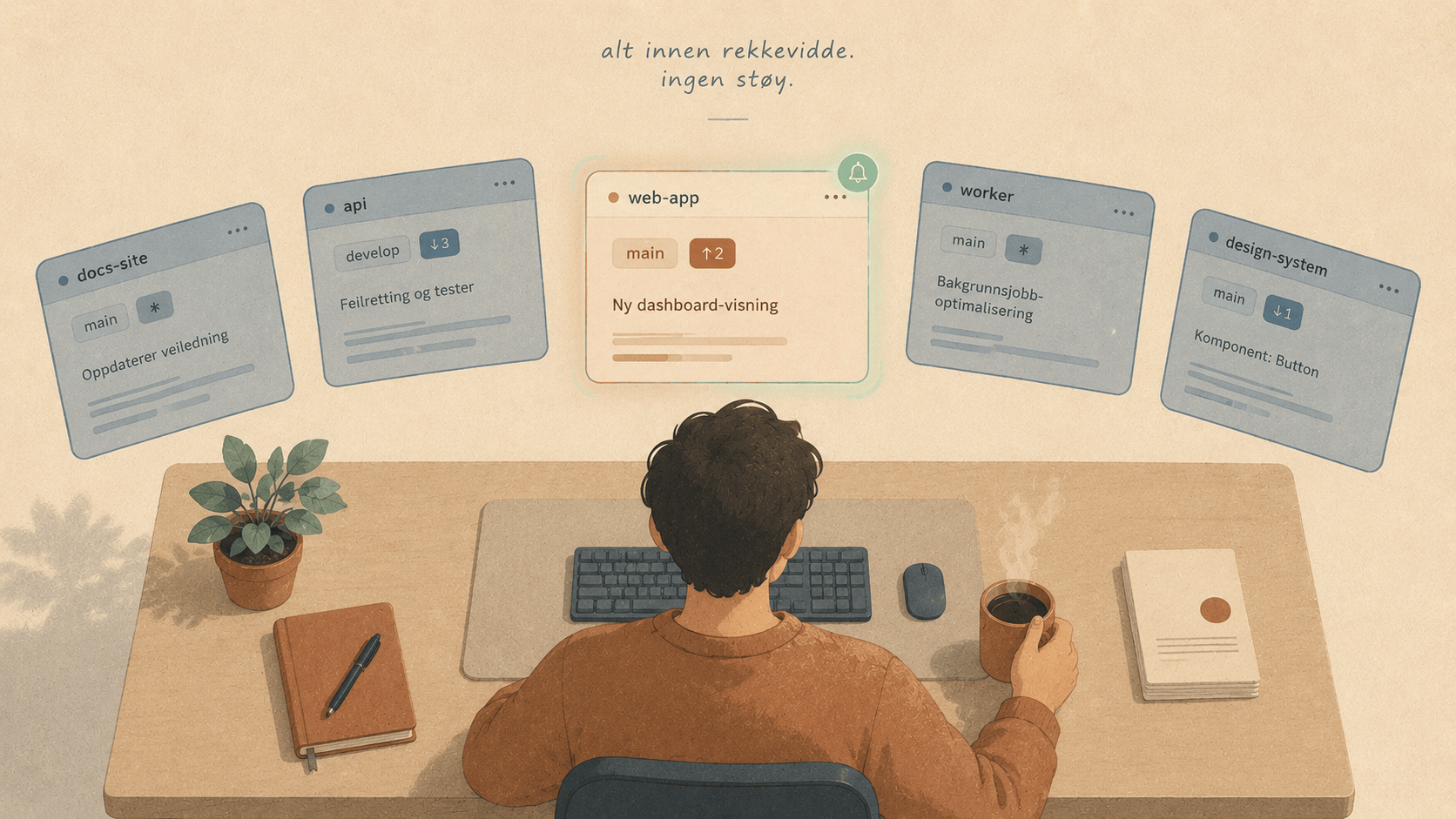
Most of us don't work on one thing. There's the main app, the API it talks to, that side project you swear you'll finish, a client repo, your dotfiles, and the docs site nobody remembers to update. Each one has its own folder, its own branch, its own half-finished dev server.
The hard part was never the code. It's the switching — the mental tax of remembering where you were, what was running, and which terminal belonged to which project.
Elyra Conductor is built for exactly that messy, many-project reality. Here are some genuinely useful ways to use it, and a few habits that make juggling repos feel calm instead of frantic.
1. Treat the sidebar as your "command center"
The sidebar isn't just a folder list — it's a live dashboard. Each project shows its branch, dirty state, and ahead/behind counts, so before you even click, you can see:
which repos have uncommitted work you forgot about (
✱),which ones are behind the remote and need a pull (
↓3),which ones you've quietly drifted ahead on (
↑2).
Smart habit: start your day by glancing down the sidebar instead of opening each project. It's a 5-second standup with yourself. The repo with ✱ from last night? That's where you pick up.
2. Pin the projects you actually live in
You probably have 40 folders in ~/Code but truly work in 4 or 5 at a time. Pin those to the sticky section at the top. They stay there even if you point Conductor at a different folder later.
Smart habit: pin by season, not forever. Pinning is cheap — pin the three repos this sprint touches, unpin them when the sprint ends. The top of your sidebar becomes a reflection of what's actually on your plate right now.
3. Give each project a pane layout that matches its rhythm
A click opens a terminal already rooted in the project. From there, split to match how that project actually runs:
┌──────────────────────┬──────────────────────┐
│ $ pnpm dev           │ $ pnpm test --watch  │
│ ➜ localhost:1420     │ ✓ 42 passed          │
├──────────────────────┴──────────────────────┤
│ $ git log --oneline -5     ← a "scratch" pane │
└───────────────────────────────────────────────┘
A common, comfortable shape:
top-left: the long-running dev server,
top-right: tests in watch mode,
bottom: a free pane for git, one-off commands, and poking around.
Because panes never lose their session when you split or drag, you can reshape the layout mid-task without killing your server. Resize the test pane when you're deep in TDD; shrink it again when you're not.
4. Use notification rings instead of babysitting output
Long build? Flaky test suite? Deploy script that takes two minutes? Kick it off, then switch away and do something else. When that background tab produces output, its tab pulses green — and clears the moment you look at it.
Smart habit: stop watching progress bars. Start the slow thing, move to another project, and let the ring call you back. This is the single biggest "calm" upgrade for multi-project days.
5. Let tasks and the palette replace your memory
You don't have to remember whether it's pnpm dev, npm run start, make serve, or just dev. Conductor reads each project's package.json, composer.json, Makefile, and justfile and offers the tasks in the palette as Run: ….
Smart habit: make ⌘K your default reflex. Need a project? ⌘K. Need to run something? ⌘K. Need a tab you opened ten minutes ago? ⌘K. One muscle memory for everything beats five.
6. Save the context, not just the files, with workspaces
Some work spans several repos at once — a feature that touches the frontend, the API, and the shared types package. Set them all up the way you like (projects, tabs, split panes, the open file, theme) and save it as a workspace.
Smart habit: name workspaces after the work, not the repos — billing-migration, release-week, bug-1487. When you come back tomorrow, you load billing-migration and the whole stage is set exactly as you left it. No re-cd-ing, no re-splitting, no "now where was I?"
7. Quick-edit small things; open the big editor for big things
Not every change deserves a context switch. A typo in a .env, a version bump in a config, a tweak to a script? Open it in the inline Monaco editor, ⌘S, done.
When the change is real work, the per-project buttons launch the repo straight into Zed, VS Code, or Cursor.
Smart habit: draw the line at "does this need more than one file open?" If no, quick-edit in place. If yes, open your real editor. You'll stop drowning small edits in heavyweight windows.
8. Commit where you already are
When a unit of work is done, the commit dialog lets you review the diff, write a message, and commit (and push) with ⌘↵ — right next to the terminal where you did the work.
Smart habit: commit at the moment of done, not at the end of the day. Because committing no longer means switching tools, the friction that used to pile up changes into one giant "wip" commit just… isn't there anymore.
9. Keep the AI where the AI belongs
When you want a coding agent, Conductor hosts the Elyra CLI in a native panel — streamed replies, tool activity, prompts you can answer, a ring when it needs you. But Conductor itself never calls a model or holds a key. The intelligence lives in Elyra; Conductor is just the calm room it works in.
Smart habit: use the agent per-project, in that project's context — "Ask Elyra about this file" from the file tree — so its answers are grounded in the repo you're actually standing in.
The bigger idea
None of these are big tricks. They're small habits, and the point of Conductor is that it makes the good habits the easy ones: see your repos at a glance, keep sessions alive, let background work call you back, and carry whole working contexts around as a single thing.
Do that, and "I work on a dozen projects" stops being a source of stress and starts being just… Tuesday. ☕