The database is right there — a warm look at e 0.8.0
Why we built a full database workbench into the editor, and how it feels to use it. Staged edits, environment-aware safety rails, and a slow query turned into a migration in three clicks.
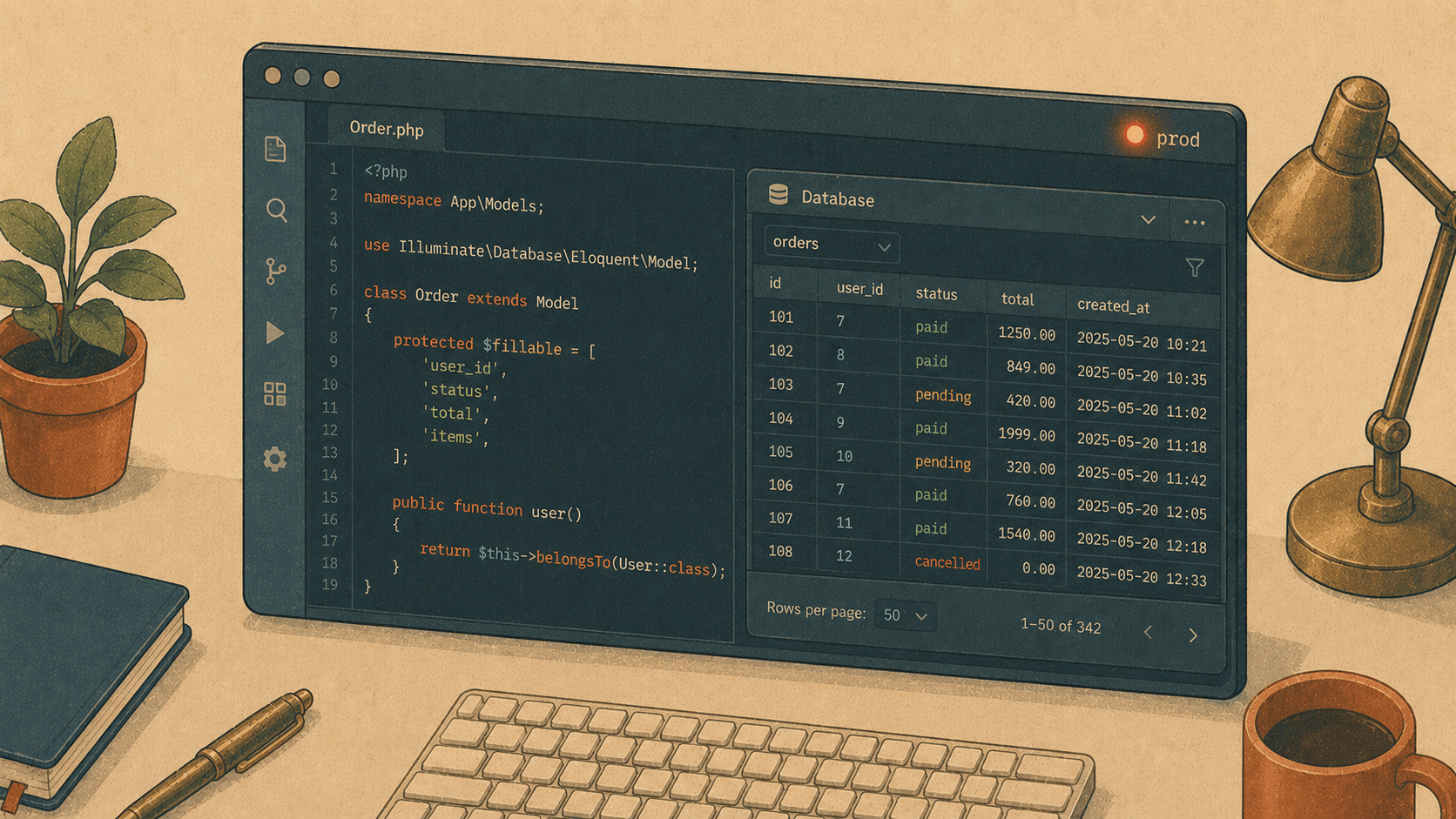
There's a small, familiar friction in a developer's day. You're deep in a Laravel controller, you need to check why a customer's order looks wrong, and — reflex — your hand reaches for ⌘Tab. TablePlus. Or DataGrip. Or that browser tab with phpMyAdmin you swore you'd close.
Context, gone. Flow, gone.
e has had a Database panel for a while, but with 0.8.0 it grew up. The goal was simple and a little stubborn: everything a Laravel developer does against the database in a day should be doable — and nicer — without leaving the editor. No alt-tab. No second tool. The database is just… right there, next to your code.
Here's the why, and the how.
1. A console that feels like an editor, not a text box
Why. The old query box was a plain <textarea>. It worked, but it was a little sad — no colour, no help, no memory. Meanwhile the SQL inside your PHP strings had highlighting and completion. The console was the cobbler's barefoot child.
How. Open the panel with ⌘3, connect, and start typing:
SELECT o.id, o.total, u.email
FROM orders o
JOIN users u ON u.id = o.user_id
WHERE o.status = 'paid'
ORDER BY o.created_at DESC
As you type o., it suggests the real columns from orders. Keywords glow, strings go green. It's a real editor now — because it is one, sharing the same syntax engine as the rest of e.
A few things that make it sing:
⌘↵ runs the statement under your cursor (or your selection). Put the caret in one query among ten and only that one runs. ⌘⇧↵ runs the whole thing.
Every statement gets its own result tab. Run three SELECTs, get three tabs. Pin the one you want to keep (★); the rest get recycled on the next run.
:paramsare prompted for. WriteWHERE id = :id, hit run, type the value once. It remembers your last answer.History — every query you run is saved per project. That "what was that join I wrote yesterday?" moment is now a search box away.
-- Tomorrow you'll thank yourself
SELECT * FROM invoices WHERE user_id = :uid AND status = :status
Hit ○ History, type "invoices", click. It's back in the console.
2. Editing data without holding your breath
Why. The scariest button in any database tool is the one that writes. Especially when "the database" is production, reached through an SSH tunnel, at 5pm on a Friday. Most tools write immediately when you tab out of a cell. That's a lot of trust to place in a fingertip.
How. In e, edits stage first. Change a cell and it turns amber — it hasn't been written yet. Mark a row for deletion and it turns red. A little bar appears at the bottom:
⚠ 3 pending changes · 2 updates, 1 delete [ Revert ] [ Submit… ]
Submit shows you exactly what's about to happen, and runs it all in one transaction:
Submit on PRODUCTION?
  UPDATE orders SET status='refunded' WHERE id=10432 AND status='paid';
  UPDATE orders SET total=0.00      WHERE id=10432 AND total=159.50;
  DELETE FROM orders WHERE id=10377;
☐ I understand this affects production          [ Cancel ] [ Submit 3 statements ]
The dialog is red because the connection is production — a colour you feel before you read. And you can't submit until you've ticked the box. On local, it's calmer and greener.
The safety rails aren't nagging; they're just there:
Connections are labelled local / staging / production (green / amber / red), guessed from the host and name, shown as a dot on every connection and the active result.
DROP, TRUNCATE, and DELETE/UPDATE without a WHERE always ask first — on every environment, not just prod.
A session Log remembers every write you made, with a generated Undo where it can work out the reverse statement. Changed a status and regretted it? There's a button.
And on local, one click snapshots the whole database (mysqldump / pg_dump / a file copy for SQLite) before you do something brave.
3. "Why is this page slow?" — answered in three clicks
Why. This is the question. It's the reason you opened the database tool in the first place. And usually it means bouncing between the slow request, an EXPLAIN, a StackOverflow tab about indexes, and finally a migration you write by hand.
How. e already captures the queries each request runs (the Runtime panel, ⌘⌥I, with N+1 warnings). Now each query there has an EXPLAIN button.
Click it. The plan opens in the database panel, and a banner tells you the truth in plain words:
⚠ Full table scan on orders (no index) Suggest Index → ask the agent
Click Suggest Index, and the AI agent reads the query and the plan, then writes you a migration:
Schema::table('orders', function (Blueprint $table) {
$table->index('user_id');   // covers the WHERE + JOIN above
});
From "this page feels slow" to a reviewed, ready-to-run migration — without leaving the editor, and without you having to remember which column to index. That's the one that made us grin.
4. The small kindnesses
The big features get the headlines, but a tool lives or dies on the little stuff. A grab-bag of things e 0.8.0 does so you don't have to think about them:
Follow FK → — click into a cell that's a foreign key and jump straight to the row it points at. Related → goes the other way: "what points at this row?"
Search all data… — type a value in the panel header and e scans every text column of every table, returning a tab per match. Great for "where on earth is this email stored?"
Views show up in the tree and browse like tables. Row counts sit next to each table name.
Export a result as CSV, JSON, or INSERT statements; copy it as TSV (paste into a spreadsheet) or a Markdown table (paste into a PR). Import a CSV into a table — mapped by header, in one transaction.
Seed 10 rows into a local table through its Eloquent factory, straight from the toolbar.
Copy DDL and + Migration in the Structure tab: read the CREATE TABLE, or scaffold a migration for a change instead of running raw DDL.
A schema relationships view (⇄) lists every foreign key — even for tables without an Eloquent model.
Why it's built into the editor
You could do most of this in DataGrip. It's a wonderful tool; we borrowed plenty of its good ideas. But DataGrip doesn't know that orders.user_id maps to your User model, doesn't know which queries this request just ran, and can't turn a slow plan into a migration in your project's database/migrations folder.
e does, because it's the same program that holds your code, your routes, your models, and your running app. The database isn't a separate world you visit — it's another view of the thing you're already building.
That's the whole idea. Keep your hands on the keyboard. Keep your eyes on one window. Let the boring parts be safe by default, and the scary parts be loud.
The database is right there. Go poke at it.
e 0.8.0 is out now for macOS (universal) and Linux (x86_64 + arm64). Update in place, or grab it from the releases page. As always — feedback welcome, and mind the production dialogs. They're red for a reason. 🔴