Runbooks: turning project notes into something you can actually run - Elyra Conductor v0.2.0
A warm little story about why we built runnable notes into Elyra Conductor — and how they work.
The itch
You know the moment. You come back to a project you haven't touched in three weeks. There's something you need to run to get the dev server up — was it pnpm dev? Was there a flag? Did you need to start the database first?
So you go hunting. Maybe it's in a Notion page. Maybe an Obsidian vault. Maybe a NOTES.md you opened once and never again. You find the command, you select it, you ⌘C, you switch to your terminal, you ⌘V, you press enter… and it's the wrong command, because the note was from two refactors ago.
The knowledge was there. It just lived a world away from the place you actually do the work.
That's the itch Runbooks scratches. Notes shouldn't sit in a separate app, behind a separate window, describing your project from the outside. They should live next to the terminal, in the project, and the commands in them should just run.
The philosophy: notes that do, not notes that think
Conductor has one hard rule it never breaks: it orchestrates, it doesn't reason. It launches terminals, splits panes, opens editors, runs your tasks — but it never calls a model, never holds an API key, never invents a prompt. All the thinking lives in external tools (like the Elyra CLI). Conductor is the cockpit, not the pilot's brain.
Runbooks fit that rule perfectly. They don't summarize your project with AI. They don't auto-generate anything. They're just plain markdown files — on disk, in your repo, readable in any editor — with one superpower: the things written in them are clickable and runnable.
No server. No account. No magic. Just:
your-project/.conductor/notes/dev.md
Commit it and your whole team gets the same runbook. Add .conductor/ to .gitignore and it stays yours. Your call.
How it works, with examples
A runbook is markdown. You write it like you'd write any note:
# Onboarding
Welcome! Here's everything you need to get going.
1. Install
pnpm install

2. Start the app
pnpm dev
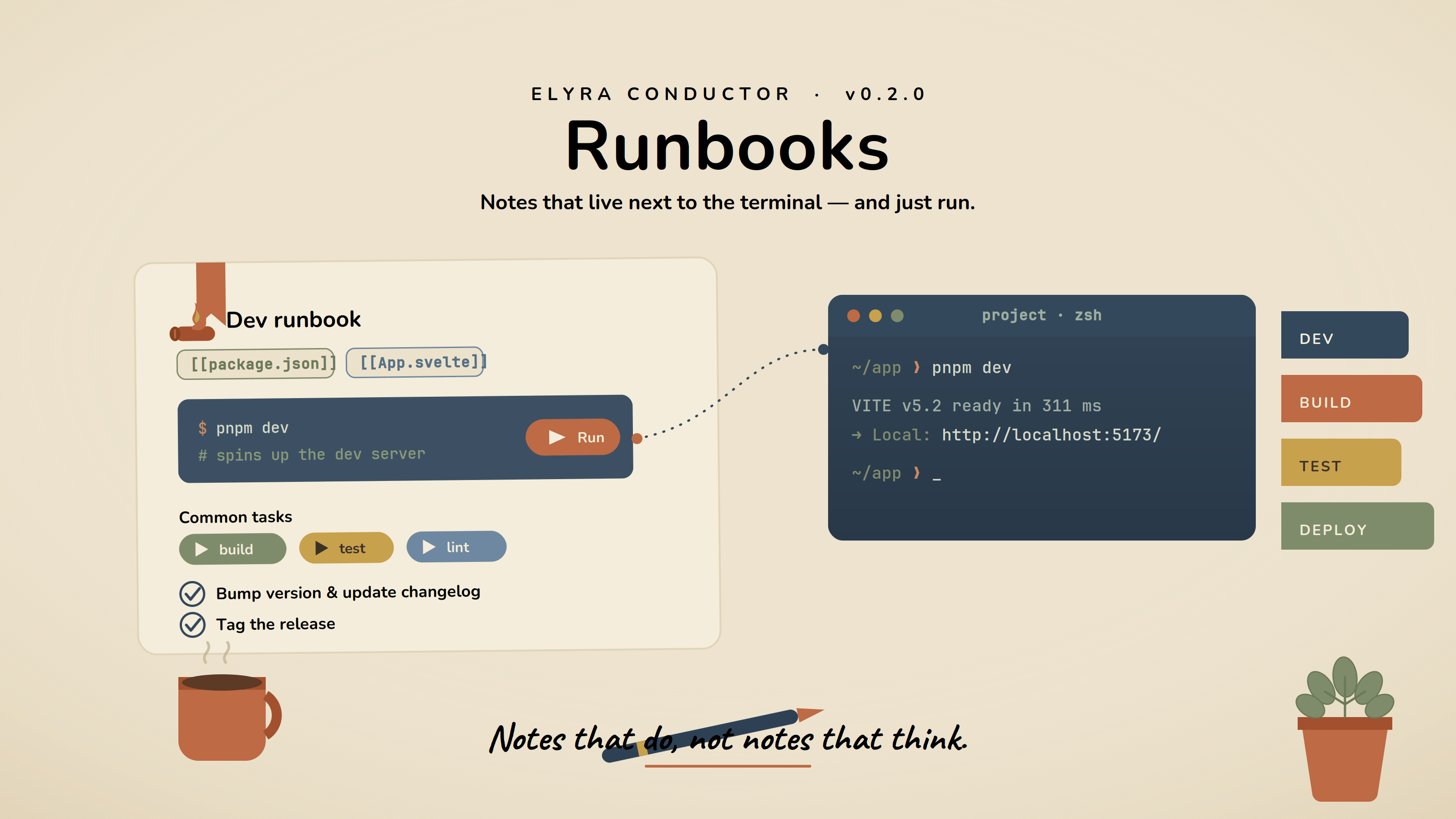
Open it in Conductor (⌘K → Open project runbook, or right-click a folder → Open runbook here), and those code blocks aren't just pretty — each one grows a ▶ Run button. Click it, and the command goes straight into the project's terminal. No copy. No paste. No tab-juggling. It even reuses the terminal you already have open for that project.
That alone would be enough. But two more touches make it feel like a real cockpit.
[[file]] — jump to the code
Runbooks love to reference files. So link them, Obsidian-style:
## Where things live
- [[src/App.svelte|The main UI]]
- [[src-tauri/src/projects.rs]] ← git scanning
- [[README.md]]
Click one and it opens right there in the inline editor. Relative paths resolve against the project root; the label after | is optional. Your onboarding doc becomes a guided tour of the codebase.
[[task:name]] — run the things you already defined
If your package.json, Makefile, justfile, or composer.json already declares scripts, you don't need to repeat the commands. Just reference them:
## Common tasks
[[task:dev]]  ·  [[task:build]]  ·  [[task:test]]
Each becomes a little ▶ chip. Click it and Conductor finds that task and runs its real command in the terminal. If the name doesn't match a known task, the text runs literally — so [[task:npm run lint]] works too, ad hoc.
Put it together
# Deploy runbook
Pre-flight
- Bump version in [[package.json]]
- Update [[CHANGELOG.md]]
Build & ship
[[task:build]]
./scripts/release-build.sh
> Stored in .conductor/notes/ — versioned with git.
Checklists you tick, files you open, tasks you run, raw commands you fire — all in one calm, readable page that lives with the project.
Why this beats a wiki tab
It's not that Notion or Obsidian are bad — they're wonderful for sprawling knowledge. But a runbook isn't knowledge you browse; it's knowledge you do. And the distance between "reading the step" and "running the step" is exactly where projects rot.
By keeping runbooks as local markdown, you get the best of both worlds: the file is greppable, diffable, reviewable in a PR, and readable on GitHub — but inside Conductor it comes alive. No lock-in, no export dance. It's just a .md file that happens to have a play button.
The cozy part
Here's the feeling we were chasing: you open a project, hit ⌘K, open its runbook, and everything you need is right there — install, run, the files that matter, the tasks you forgot. One click and you're working. The project remembers how to be worked on, so you don't have to.
That's the whole idea. Notes that meet you where you already are — next to the terminal — and quietly do the boring parts for you.
Go write one. Start with three lines:
# Dev
pnpm dev
Then click ▶. Welcome home. 🪵🔥
Runbooks shipped in Elyra Conductor v0.2.0. Like everything in Conductor, they only run and display — the thinking stays in your tools, not your cockpit.