Your AI agent now reads the Laravel docs - Elyra v0.7.16
There's a moment every Laravel developer hits when working with an AI coding agent. You ask it to set up Sanctum token authentication, and it generates code for Laravel 10 when you're running Laravel 13. Or it invents a Livewire method that was renamed two versions ago. The agent is confident, the code looks right, and it's subtly wrong.
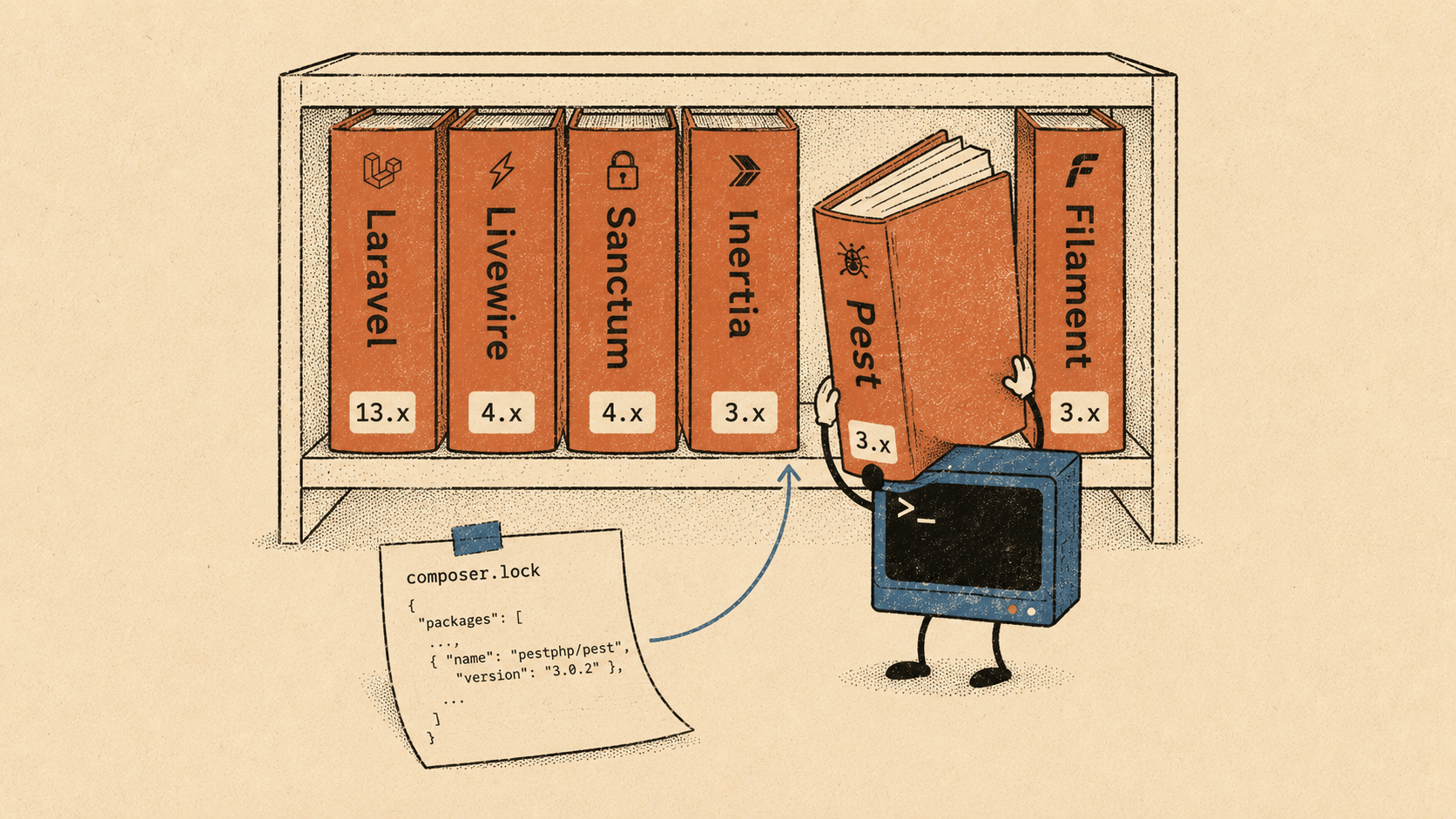
The root cause is simple: the agent doesn't know which version you're running, and it doesn't have access to the docs for that version.
Today's release fixes that.
What's new
Elyra v0.7.16 adds three tools to the @elyracode/laravel extension:
laravel_docs— semantic search across 17,000+ Laravel ecosystem documentation entrieslaravel_logs— read and filter your application log without leaving the conversationlaravel_last_error— grab the most recent exception in one call
The docs tool is the headline. The log tools are the kind of small, practical addition that saves you from alt-tabbing to a terminal twelve times a day.
How the docs search works
When the agent needs to answer a Laravel question, it calls laravel_docs with one or more search queries. Three things happen behind the scenes:
Elyra reads your
composer.lockandpackage.jsonto build a list of installed packages and their versions. Laravel 13.2? Livewire 4.x? Inertia 3.x? It picks all of that up automatically.It sends the queries and package versions to Laravel Boost's hosted documentation API — the same semantic search engine that powers Boost's MCP server.
The API returns version-specific documentation fragments, ranked by relevance.
The agent gets back precise, current documentation for your stack. Not generic answers. Not outdated answers. The right answers.
Here's what it looks like in practice. You ask:
> How do I set up Sanctum token authentication for a mobile app?
The agent calls laravel_docs with queries like "Sanctum API token authentication" and "Sanctum mobile app setup." It gets back the exact Sanctum docs for whatever version is in your composer.lock. Then it generates code that actually matches your project.
No hallucinated methods. No deprecated APIs. No version mismatch.
What it covers
The search isn't limited to laravel/framework. It covers the full ecosystem — anything with hosted documentation:
Laravel, Sanctum, Passport, Horizon, Telescope, Pulse
Livewire, Inertia, Filament
Pest, Tailwind CSS, Alpine.js
Spatie packages, and more
If the package is in your composer.lock or package.json, Elyra includes it in the search scope. You can also narrow the search to specific packages:
// The agent can focus on just Livewire docs
laravel_docs({
  queries: ["reactive form validation"],
  packages: ["livewire/livewire"]
})
No setup required
This works out of the box. No API key, no Composer dependency, no configuration. The Boost documentation API is public. You need an internet connection, and that's it.
If you already have @elyracode/laravel installed, update to 0.7.16 and the tools are available immediately:
elyra install npm:@elyracode/laravel
Reading your logs
The other two tools are smaller, but they fill a real gap. When something breaks in your Laravel app, the debugging loop usually looks like this:
Something fails
Open a terminal
tail -50 storage/logs/laravel.logCopy the error
Paste it into the agent conversation
Wait for the agent to parse it
With laravel_last_error, the agent does all of that in one tool call:
> The checkout page is throwing a 500 error, can you check what's going on?
The agent calls laravel_last_error, gets the full stack trace, reads the relevant source file, and starts debugging. No copy-pasting. No context switching.
laravel_logs is the broader version — it reads the last N entries, optionally filtered by level:
// Get the last 20 warnings
laravel_logs({ entries: 20, level: "warning" })
It handles multi-line PSR-3 log entries correctly, so stack traces stay intact instead of getting split across entries.
Why this matters
AI coding agents are good at generating code. They're bad at generating correct code for a specific version of a specific framework. The difference between a helpful agent and a frustrating one is often just context — does it know what version you're running, and does it have access to the right documentation?
With this release, Elyra's Laravel tools cover the full loop:
What the agent needs to know Tool Your data model and relationships laravel_models Your routes and middleware laravel_routes Your project's architecture laravel_analyze How the framework works at your version laravel_docs What's going wrong right now laravel_logs / laravel_last_error
That's a pretty complete picture. The agent sees your models, your routes, your conventions, the official docs for your exact versions, and your error logs. It has roughly the same context a senior Laravel developer would have when sitting down at your project for the first time — except it loads all of it in under a second.
Get it
npm install -g @elyracode/coding-agent
elyra install npm:@elyracode/laravel
If you're already on @elyracode/laravel, just reinstall to get 0.7.16. The new tools register automatically in any Laravel project.
Full changelog: v0.7.16