Elyra and Git Worktrees Explained: The Quiet Superpower for Running Agents in Parallel
Running more than one AI agent at once means they'd collide — one working directory, one branch, instant chaos. Git worktrees give each agent its own files and branch over a shared history, and Elyra is built to understand the branch, session, and memory of each one independently.
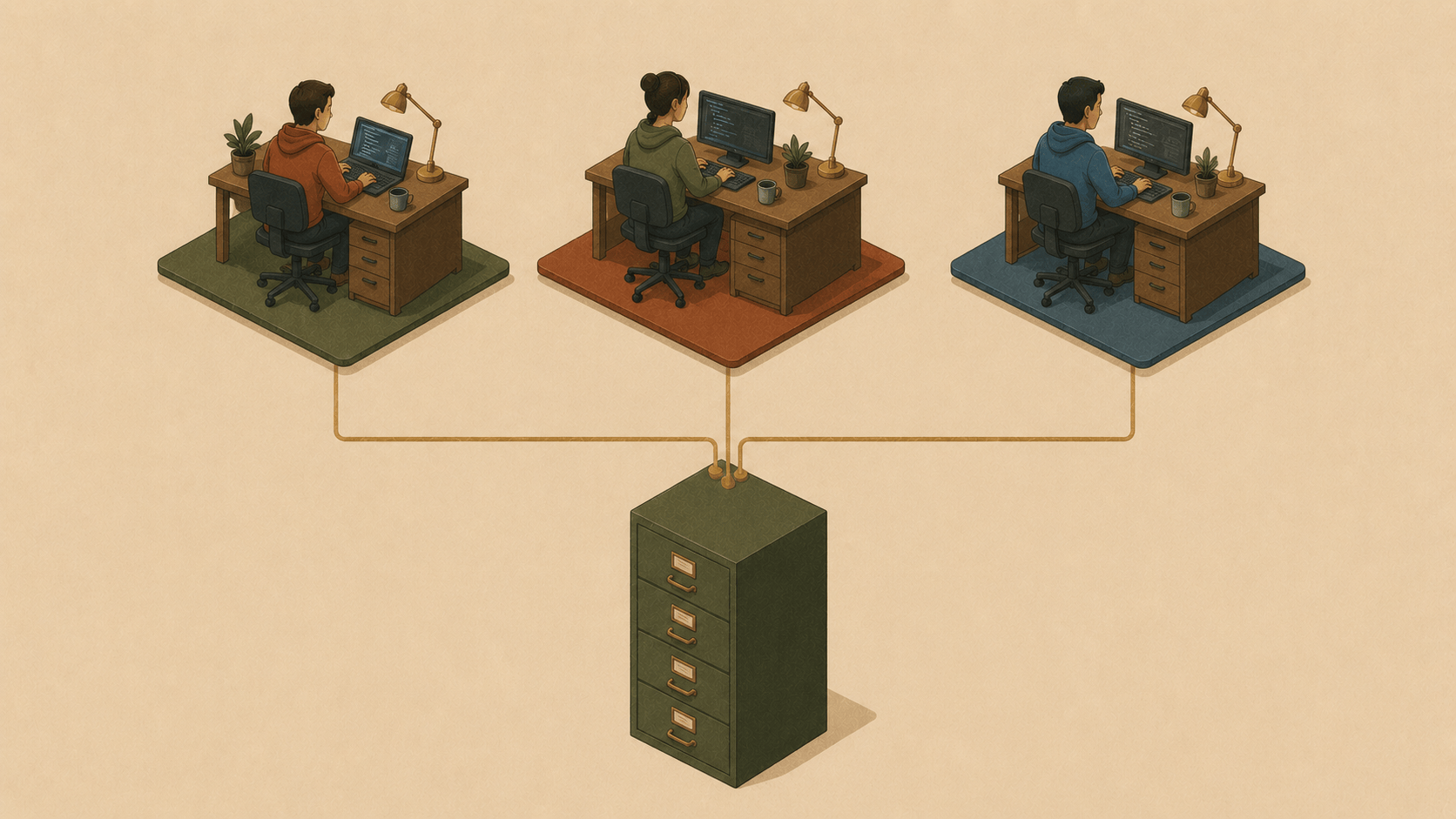
There's a question that comes up the moment you start trusting an AI agent with real work: how do I run more than one at a time without them tripping over each other? You've got a feature to build, a bug to chase, and a refactor you've been putting off. One agent, one working directory, one branch — they'd collide instantly.
The answer isn't a feature we invented. It's a git feature most developers have never used, and it pairs with Elyra so naturally it feels designed for this. Let's explain git worktrees, and why they're the quiet superpower for running Elyra in parallel.
What a git worktree actually is
Normally a git repo has one working directory — one set of files on disk, sitting on one branch. To work on something else, you git stash or commit, then git checkout another branch, and your files transform in place. One desk, one project at a time.
A worktree lets one repository have multiple working directories at once, each on its own branch, all sharing the same underlying history and object store:
# From your main repo
git worktree add ../myproject-feature-auth feature-auth
git worktree add ../myproject-bugfix-checkout bugfix-checkout
Now you have three folders on disk — your original, plus two more — each checked out to a different branch, all backed by the same .git. Edits in one don't touch the others. No stashing, no context-switching, no "wait, which branch was I on." Three desks, three projects, one filing cabinet.
Why this is the natural home for parallel Elyra agents
Here's where it clicks. Run an Elyra agent in each worktree, and each one gets:
Its own files. The auth agent edits
../myproject-feature-auth; the bugfix agent edits../myproject-bugfix-checkout. They physically cannot overwrite each other's work, because they're in different directories.Its own branch. Each agent's commits land on that worktree's branch. Two clean, reviewable branches at the end, not one tangled mess.
Shared history. Because they share the object store, merging is normal git. No copying, no re-cloning a multi-gigabyte repo three times.
cd ../myproject-feature-auth && elyra      # agent 1, on feature-auth
cd ../myproject-bugfix-checkout && elyra   # agent 2, on bugfix-checkout
Two terminals, two agents, zero collisions. Set a /goal in each, walk away, and come back to two finished branches.
What Elyra does to make this work
This isn't an accident — Elyra is built to be worktree-aware in the places that matter.
It knows which branch you're on. A worktree's .git isn't a directory, it's a file pointing elsewhere. Elyra's footer follows that pointer correctly (including the trickier reftable-backed worktrees), so each session shows the right branch instead of getting confused. A small thing you only notice when it's wrong in other tools.
Sessions and memory are per-directory. Elyra keys session history and codebase memory to the working directory's path. So the auth worktree and the bugfix worktree have completely separate conversations, checkpoints, and accumulated project memory. The bugfix agent doesn't inherit half-finished thoughts from the auth agent. Each /rewind rewinds only that worktree's files. Clean separation, for free.
Checkpoints stay local. /rewind's file checkpoints operate on the worktree you're in — rolling back the auth agent never disturbs the bugfix agent's working tree.
The discipline that makes it safe
One honest caution, and it's the same one our own contributor rules hammer on: when agents share a repository, commit hygiene matters. Even across worktrees, you're committing into a shared history, so the rule is simple and strict:
Each agent commits only the files it changed —
git add <specific paths>, nevergit add -Aorgit add ., which can sweep up another agent's in-progress work.Check
git statusbefore committing and confirm you're staging only your own files.
This is literally how Elyra's own development works — multiple agents, multiple worktrees, one repo — and it's codified in our AGENTS.md so every agent reads it at startup. Worktrees give you physical separation of files; this discipline gives you clean separation of commits.
Bonus: separate agent profiles per worktree
If you want even stronger isolation, you can give each worktree its own Elyra agent home:
ELYRA_CODING_AGENT_DIR=~/agents/auth    cd ../myproject-feature-auth && elyra
ELYRA_CODING_AGENT_DIR=~/agents/bugfix  cd ../myproject-bugfix-checkout && elyra
Now even settings, skills, and pinned models can differ per agent — useful when one task wants a premium model and another is fine on something cheap.
When to reach for it (and when not to)
Worktrees shine when you have genuinely independent tasks you want to run concurrently. They're overkill for a single focused session — one repo, one agent, done. But the moment you think "I wish I could let an agent grind on this while I work on that," worktrees are the answer, and Elyra is ready for them.
The takeaway
Git worktrees were built for human developers juggling branches. They turn out to be the perfect substrate for juggling agents: physical file isolation, per-branch commits, shared history, and an Elyra that correctly understands the branch, session, and memory of each one independently.
One repository. Many desks. As many agents as you have problems. That's not a hack — it's just git and Elyra doing what each does best.
Happy building (in parallel).