Build your own agent with Elyra, from an empty folder
No framework, no build step, no orchestration spaghetti. In Elyra, an agent is just a folder and a command. Start from an empty directory and end with a working agent that has a brain, abilities, and memory of its own.
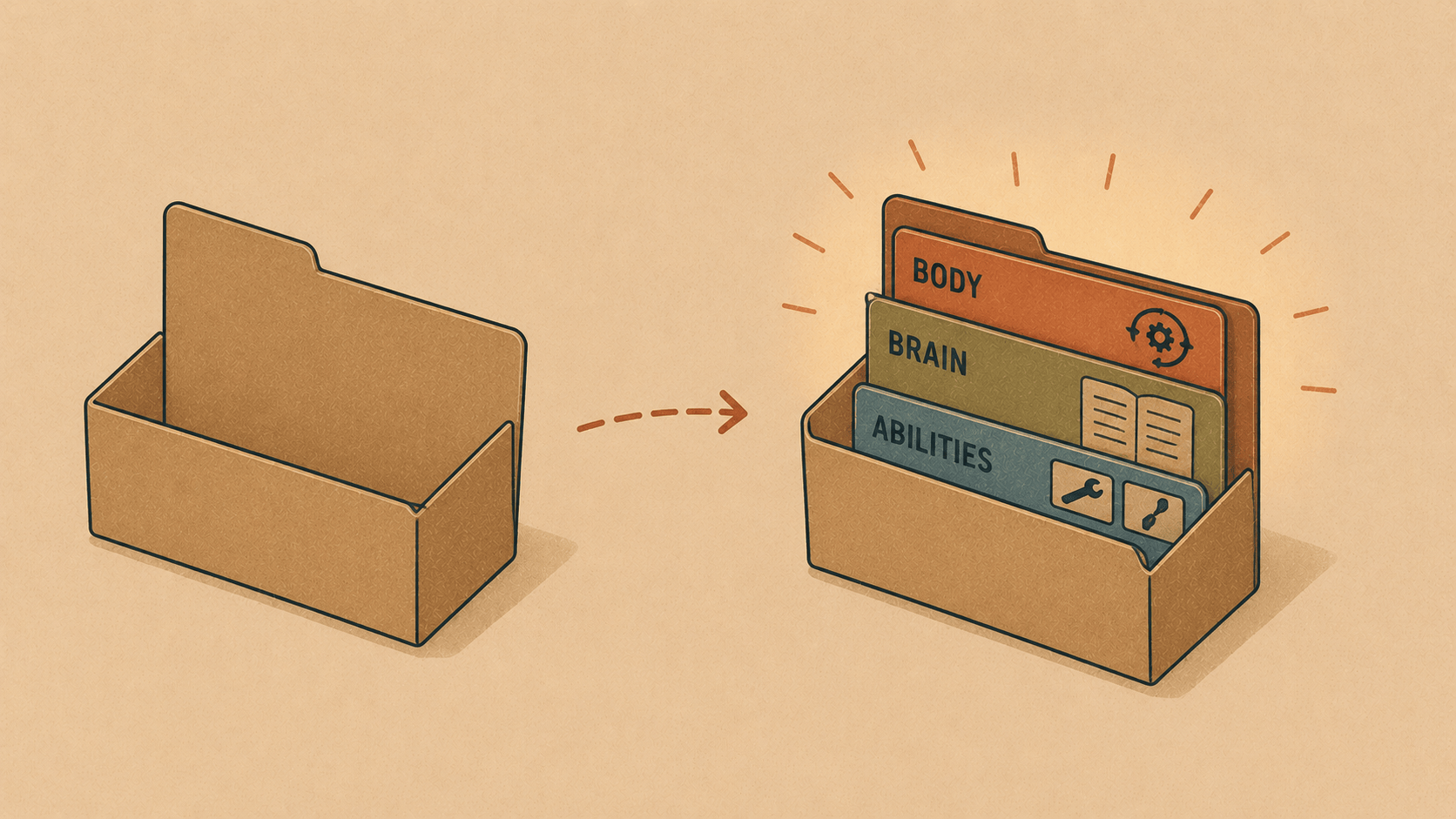
Most "AI agent" tutorials hand you a framework, a graph of nodes, and a weekend of glue code. Elyra takes a quieter path: an agent is just a folder and a command. No build step, no orchestration spaghetti. If you can write a Markdown file, you can build an agent.
This guide starts from absolute zero — you don't have Elyra installed, you don't have an agent, you have an empty directory and an idea. By the end you'll have a working agent that lives in its own home, remembers things, and has abilities you gave it.
The mental model: body, brain, abilities
Before any commands, hold onto this picture. Every Elyra agent is three things:
The harness is the body. Elyra itself is the agent's body — the loop that reads files, runs commands, edits code, calls the model, checks the result, and keeps going until the job is done. You don't write the body. You install it.
Context files are the brain. What the agent knows and who it is lives in plain Markdown — chiefly
AGENTS.md. This is the personality, the rules, the project knowledge. Swap the brain and the same body becomes a different agent.Skills are the extended abilities. A skill is a folder with a
SKILL.mdinside. It teaches the agent how to do one specific thing — send an email, fetch a web page, file an expense — and the agent only reaches for it when the task actually calls for it.
Body, brain, abilities. That's the whole thing.
What you actually need
Just Node.js (which gives you npm and npx). That's the entire prerequisite list. No Docker, no Python, no account.
You'll also want an API key from one model provider — Anthropic, OpenAI, Google, OpenRouter, and many more all work. We'll use Anthropic in the examples, but any of them is fine.
Step 1: Run Elyra without installing anything
The fastest way to meet Elyra is to let npx fetch and run it for you:
npx @elyracode/coding-agent
That downloads the package, drops you into the interactive agent, and you're talking. Nothing is permanently installed.
One small but important note: use the scoped name @elyracode/coding-agent. A bare npx elyra resolves a different, unrelated package on npm. Once you decide to keep Elyra around, install it globally and you'll get a tidy elyra command of your own:
npm install -g @elyracode/coding-agent
elyra
From here on, elyra and npx @elyracode/coding-agent mean the same thing.
Step 2: Give it a key
On first run, Elyra needs a provider key. Two easy options:
# Option A: environment variable
export ANTHROPIC_API_KEY=sk-ant-...
elyra
Option B: log in from inside Elyra
elyra
then type:  /login
Either way, the credential is saved so you only do this once. Now the body has power. Time to give it a home.
Step 3: Create the agent's home
Here's the trick that makes Elyra agents feel clean: one folder is the entire agent. You tell Elyra where that folder is with a single environment variable, ELYRA_CODING_AGENT_DIR. Everything — config, memory, sessions, skills — lives inside it.
Let's build a small personal assistant called expense-buddy. Create the folder and point Elyra at it:
mkdir -p /agents/expense-buddy
export ELYRA_CODING_AGENT_DIR=/agents/expense-buddy
We're aiming for this shape:
agent-home/
├── AGENTS.md            # the brain: who the agent is + its rules
├── settings.json        # which model/provider to use by default
├── brain/
│   └── brain.md         # extra knowledge the agent can read
├── sessions/            # conversation history + rewind checkpoints
├── skills/
│   ├── send-email/
│   │   └── SKILL.md      # an ability
│   └── web-fetch/
│       └── SKILL.md      # another ability
└── memory/
├── expenses.json     # the agent's own working data
└── facts.json
Let's fill it in, one part at a time.
The brain: AGENTS.md
This is the most important file. When Elyra starts in a folder, it automatically loads AGENTS.md as context — no flag, no config. It's the agent's standing instructions.
# Expense Buddy
You are a friendly personal finance assistant. You help track expenses,
answer questions about spending, and keep notes for later.
Rules
- Money lives in
memory/expenses.json. Read it before answering questions
about spending, and append to it when the user reports a new expense.
- Durable facts about the user go in
memory/facts.json.
- Background knowledge lives in
brain/brain.md — read it when you need
context about categories, budgets, or conventions.
- Be concise. Confirm what you saved.
Notice what's happening: the brain doesn't contain all the knowledge, it tells the agent where to look and how to behave. That keeps the always-loaded context small and fast.
Settings: settings.json
A tiny file that picks the default model so you don't pass flags every time:
{
"defaultProvider": "anthropic",
"defaultModel": "claude-opus-4-8",
"defaultThinkingLevel": "medium"
}
That's it. Provider, model, how hard to think by default.
Extra knowledge: brain/brain.md
AGENTS.md is loaded on every turn, so you keep it lean. Anything bulkier — reference material, category definitions, a style guide — goes in files the agent reads on demand. Here, brain/brain.md:
# Expense knowledge
Categories
- groceries, dining, transport, utilities, subscriptions, other
Budgets (monthly)
- groceries: 4000 NOK
- dining: 1500 NOK
When a category is ambiguous, ask before guessing.
The agent pulls this in only when it's relevant, because AGENTS.md told it to.
Abilities: skills/
A skill is a folder containing a SKILL.md. The file starts with a little YAML frontmatter — a name and a description — and then the instructions. Elyra shows the model just the name and description of each skill; when a task matches, the agent opens the full file and follows it. Cheap to have around, powerful when needed.
skills/send-email/SKILL.md:
---
name: send-email
description: Send an email via the local mail command. Use when the user
asks to email a summary, report, or reminder.
Send an email
- Compose a short, clear subject and body.
- Run:
printf '%s' "$BODY" | mail -s "$SUBJECT" "$RECIPIENT"
- Confirm to the user what was sent and to whom.
skills/web-fetch/SKILL.md:
---
name: web-fetch
description: Fetch a URL and extract readable text. Use when the user asks
about the contents of a web page or a live document.
Fetch a web page
- Run
curl -fsSL "$URL" to retrieve the page.
- Summarize the relevant parts for the user. Do not dump raw HTML.
You can drop a scripts/ or references/ folder next to a SKILL.md and reference them from the instructions — perfect for longer helper scripts. Skills are how a generic body becomes a specialist without bloating the brain.
Memory: memory/
This is the agent's own scratch space — files it reads and writes with its normal tools as it works. For Expense Buddy, that's expenses.json and facts.json. Start them empty:
mkdir -p ~/agents/expense-buddy/memory
echo '[]' > ~/agents/expense-buddy/memory/expenses.json
echo '{}' > ~/agents/expense-buddy/memory/facts.json
Because AGENTS.md told the agent these files exist and what they're for, it will read and update them on its own. (Elyra also keeps its own session-level memory here automatically — but your agent's working data is just files it owns.)
Sessions: sessions/
You don't create this — Elyra does. Every conversation is saved here as a checkpoint, which is what powers /rewind (roll back both the chat and the files) and --continue (pick up where you left off). It's the agent's episodic memory, and it comes for free.
Step 4: Start your agent
Everything's in place. Move into the home folder and launch:
cd ~/agents/expense-buddy
npx @elyracode/coding-agent
Because the folder is both the working directory and the configured agent home, Elyra loads the brain (AGENTS.md), the default model (settings.json), and the abilities (skills/) all at once. Now talk to it:
> I spent 240 NOK on groceries today and 95 on lunch.

Reading memory/expenses.json...
Appending 2 entries (groceries 240, dining 95)
Saved. You're at 240/4000 on groceries and 95/1500 on dining this month.
> Email me a summary of this week's spending.
Matching skill: send-email
Reading memory/expenses.json...
Composing summary... sending to you@example.com
Done. Sent "Your weekly spending" with the breakdown.
The body read and wrote files, the brain told it where and how, and a skill gave it an ability it wasn't born with. That's a complete agent.
Recap
You went from an empty folder to a working agent with five moving parts:
Part File(s) Role Body Elyra itself The loop that does the work Brain AGENTS.md, brain/brain.md Who it is, what it knows Config settings.json Default model and provider Abilities skills/*/SKILL.md On-demand specialized skills Memory memory/, sessions/ Its data and its history
And the whole setup is just:
npm install -g @elyracode/coding-agent          # install the body
export ELYRA_CODING_AGENT_DIR=~/agents/my-agent  # point at its home
cd ~/agents/my-agent && elyra                     # wake it up
No framework, no build, no lock-in. Write a Markdown brain, add a skill or two, and you've got an agent that's yours — versioned in a folder, easy to read, easy to share.
Happy building.